Answered

Cohostign with a user who already uses Hospitable too

  • May 28, 2026
  • 6 replies
  • 26 views

micaela
New Participant
Forum|alt.badge.img

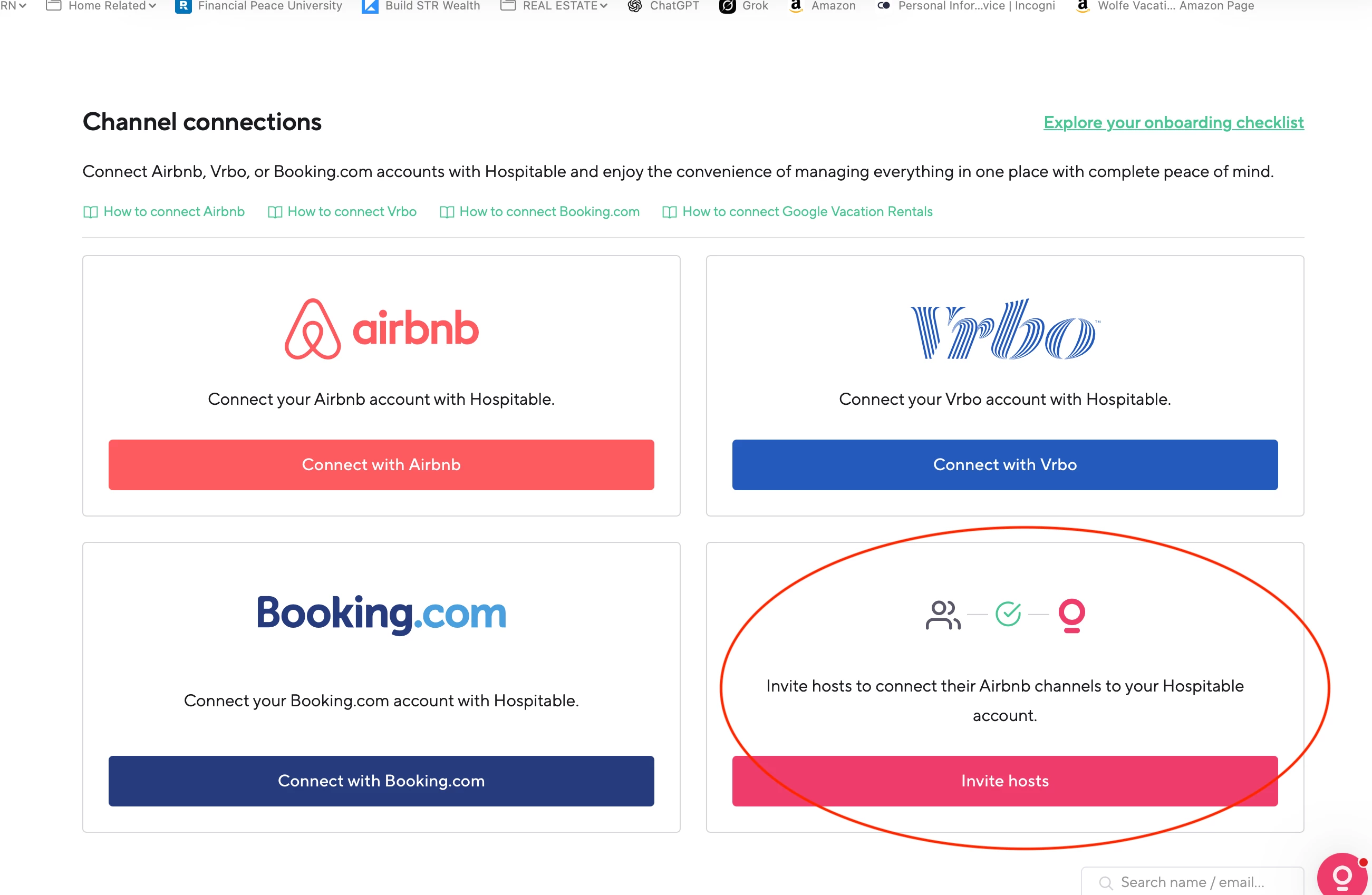
I have a new client I am going to cohost. He has several properties and uses hospitable himself. We will be managing one of his new properties. If I invite him to connect his airbnb account to my hospitable - I think it will cause a problem for his other properties that we aren't managing correct? How do I work around this?

Best answer by Brittany Wenninger

Yeah so the easiest way to do this is:

  1. Have the owner invite you to co-host his property on airbnb. 
  2. Once you accept the invite, he can remove that property off of this Hospitable account
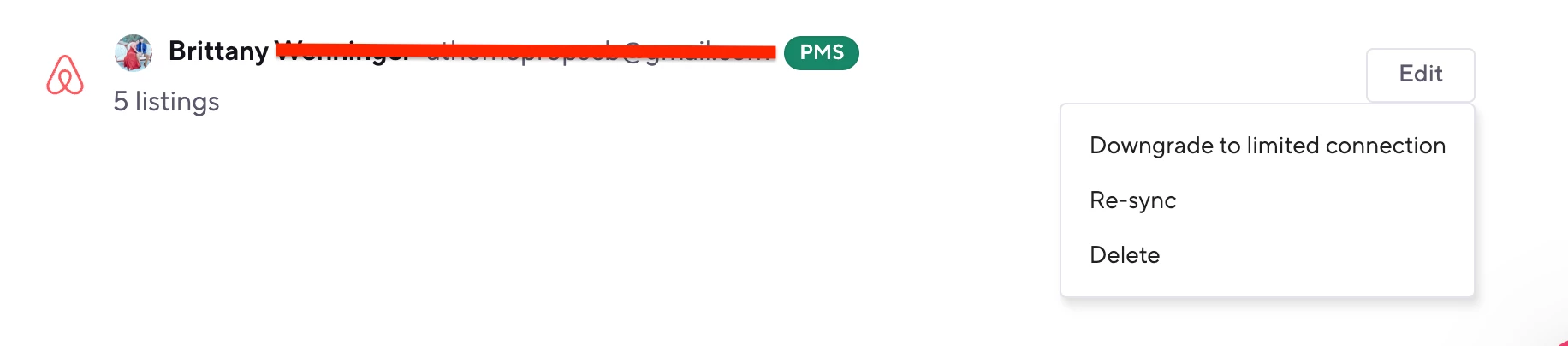
  3. Once the property is removed from the hospitable account, you can go into you channels> Scroll Down to see you Airbnb Connection and then click on edit and resync. That will bring up the new listing that you see on your airbnb account. 
     

6 replies

Brittany Wenninger
Hospitable Team Member

Hey ​@micaela !

Each Airbnb account can only be connected to one Hospitable account at a time. Your client's Airbnb is already linked to his own Hospitable, so connecting it to yours would either fail or yank all his other listings out of his Hospitable. Not what either of you want.

The workaround — use Airbnb's native co-host flow, not a Hospitable invite:

Have him add you as a co-host on Airbnb (just on that one listing). On Airbnb: Listing → Co-hosts → Invite a co-host, using your own Airbnb account email.

You connect your Airbnb account to your Hospitable (Properties → Channels → Airbnb → Connect). Hospitable will pull in only the listings your Airbnb account has access to — i.e., just the one he co-hosted to you. His other properties stay untouched in his own Hospitable.

He keeps managing his other listings from his own Hospitable as usual.

A couple of things to flag with him up front:

On Airbnb, payouts go to the listing owner by default — if you're collecting management fees, set that up separately (Airbnb's co-host payout split, or invoice him directly).

Messages/reservations for the co-hosted listing will live in your Hospitable inbox, not his — make sure that's the expectation.


👉 If you’re starting to manage additional properties, I highly recommend checking out the Mogul plan. It includes owner payouts, owner statements, and an owner portal, which owners are loving. You’ll also get access to the Property Manager Marketplace if you’re looking to scale your business 😊

If you’re interested, I’d be happy to send over a meeting invite and walk you through everything firsthand so you can see what it looks like in action.

Anyhoo… I hope the information above helps!


micaela
New Participant
Forum|alt.badge.img
  • Author
  • New Participant
  • May 28, 2026

Thanks Brittany. We already use the cohosting in airbnb. do those automatically bring in properties we are attached to? Also the Mogul plan is far too pricy for what we get but thank you! 


Tony Hughes
Hospitable Team Member
Forum|alt.badge.img
  • Hospitable Team Member
  • May 28, 2026

@micaela Brittany is right, you can manage their listing in your account if you are a cohost on their listing; however, listings can be connected to only one Hospitable account. They would need to disconnect that one listing from their account to allow you to manage it from your account.


Brittany Wenninger
Hospitable Team Member

Hopefully all of this is helpful 😊

Happy Hosting and Congrats on Scaling! 


micaela
New Participant
Forum|alt.badge.img
  • Author
  • New Participant
  • May 28, 2026

ok I have to manage this in our hospitable SO I need step by step instructions on how to do this because I can’t even send the invite to through this option right?


Brittany Wenninger
Hospitable Team Member

Yeah so the easiest way to do this is:

  1. Have the owner invite you to co-host his property on airbnb. 
  2. Once you accept the invite, he can remove that property off of this Hospitable account
  3. Once the property is removed from the hospitable account, you can go into you channels> Scroll Down to see you Airbnb Connection and then click on edit and resync. That will bring up the new listing that you see on your airbnb account.