





Tasks can now move automatically to a backup teammate when your first choice declines, helping you spend less time manually reassigning work!
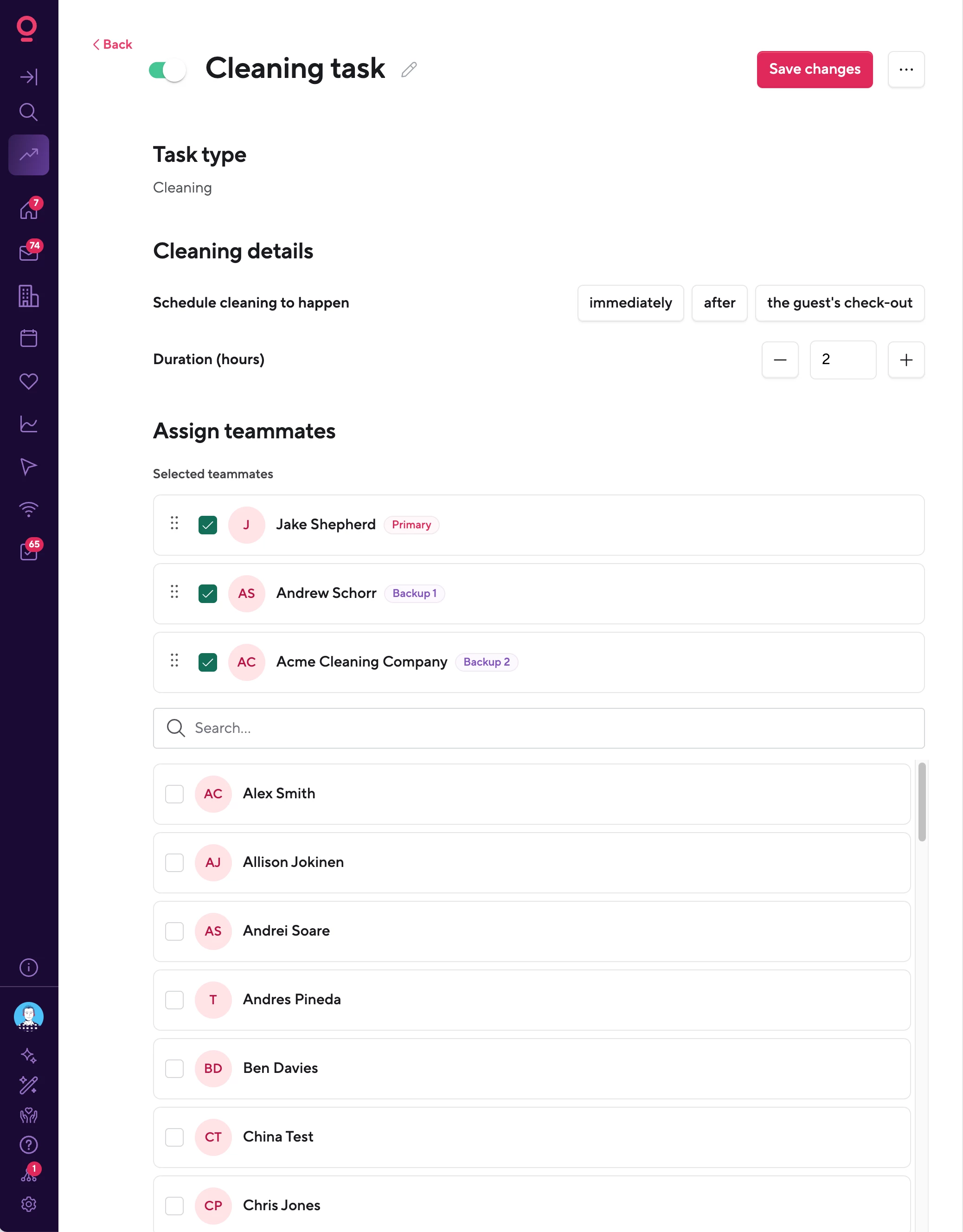
You can add multiple teammates to the assignment section of a Task Rule or a Task and set the order you want Hospitable to use.
How it works
When your primary teammate declines a task, Hospitable automatically assigns it to the first backup teammate you configured.
If they decline too, the task moves to the next teammate in the list. This continues until:
-
Someone accepts the task
-
There are no more backup teammates to try
Once that happens, we’ll let you know whether the task was accepted or whether everyone assigned to it declined.
How to set it up
Head to your Task Rules and open the Assignment section. You can now assign multiple teammates and choose the order they should be contacted.
Helpful resources
If you use Task Rules to coordinate cleaners or other teammates, give backup assignments a try and let us know how they work for your setup 🚀💜