



Smart lock codes and unlock/lock capability available in Guest Portal

  • Oct 7, 2026 9:03 AM UTC
  • 10 replies
  • 521 views
Kristijan Laco
Hospitable Team Member
Forum|alt.badge.img+7

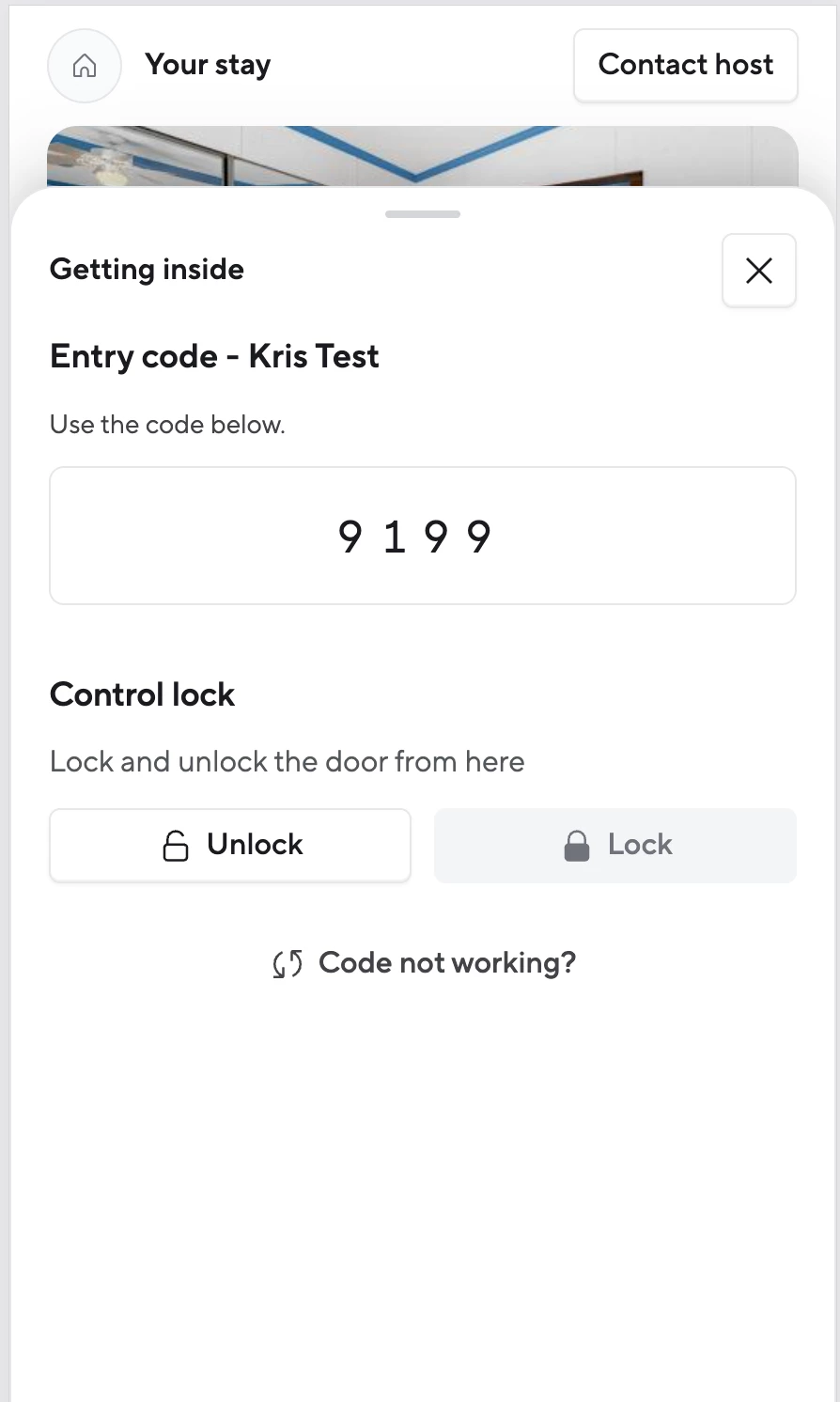
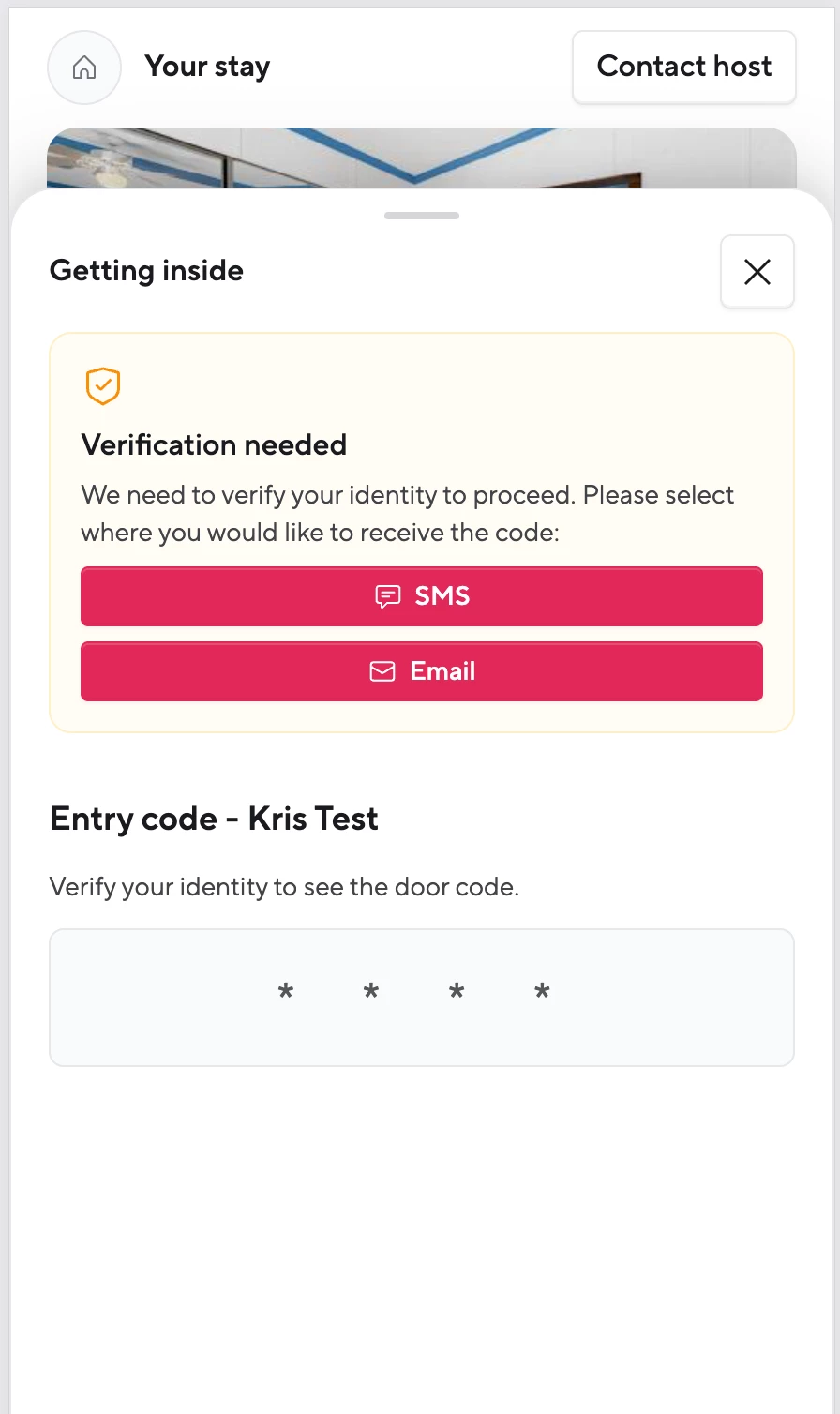
Guests can now access and control their smart locks directly from the Guest Portal. 🔐

Here’s how it works:

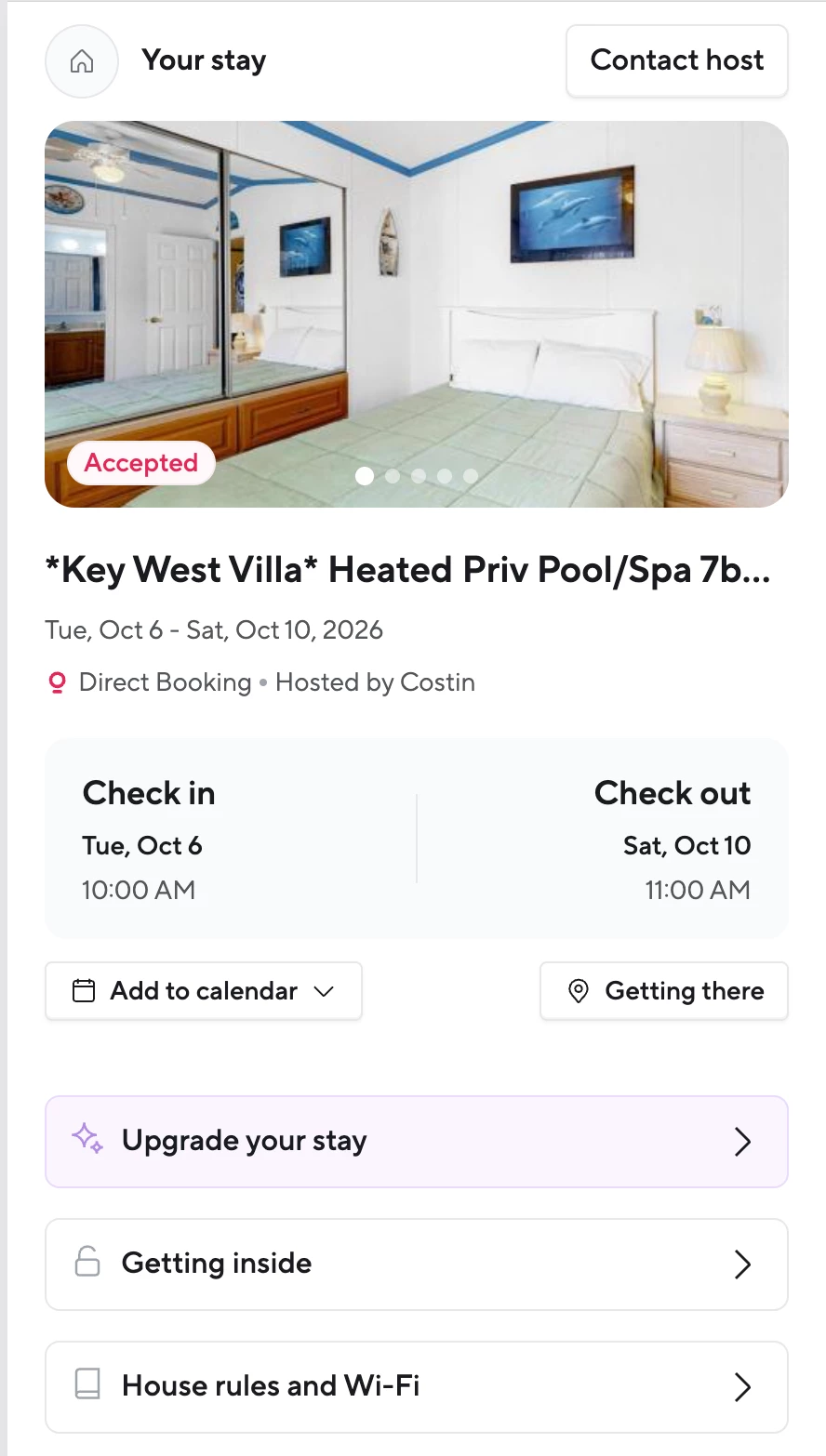
🏠 Before check-in
Guests will see a Getting inside section letting them know their door code will become available 24 hours before check-in.

🔑 24 hours before check-in
The door code becomes visible in the Guest Portal, so guests have it ready ahead of time. The code will only start working based on the access time you've configured for the reservation.

📱 During the stay
Guests can:

  • View their door code at any time

  • Request a backup code if needed

  • Lock and unlock the door directly from the Guest Portal

  • Access multiple locks when a property has more than one

🔒 Secure access
Before revealing a door code or allowing remote lock/unlock, guests must verify their identity via SMS or email.

👋 After check-out
The Getting inside section is automatically removed from the Guest Portal, so guests no longer have access to the lock controls or codes.

This gives guests everything they need to get inside in one place, while keeping access secure and limited to their stay.


10 replies

scott_k.
Participating Frequently
Forum|alt.badge.img
  • Participating Frequently
  • Oct 9, 2026 2:14 PM UTC

This is fantastic! 👍🏻

Does the SMS/email get logged in their account? I believe there are a LOT of us looking for smooth way to capture this data…

Thanks


connie
New Participant
Forum|alt.badge.img+1
  • New Participant
  • Oct 9, 2026 7:00 PM UTC

Do we have to do anything to activate this feature?


KTSlatts
New Participant
Forum|alt.badge.img
  • New Participant
  • Oct 13, 2026 10:18 PM UTC

How can I disable/turn this off?  I don’t want guests to have access to the code until I send it in the check-in message.


Tom Beerley
Hospitable Hero
Forum|alt.badge.img+4
  • Hospitable Hero
  • Oct 13, 2026 10:21 PM UTC

​@KTSlatts the code is programmed to not work until check-in time. So it doesn't matter if the guest knows it ahead of time. 


KTSlatts
New Participant
Forum|alt.badge.img
  • New Participant
  • Oct 13, 2026 10:24 PM UTC

​@Tom Beerley - I make my codes active 4 hours before check-in time in case the cleaners finish early, then I just hit send on the check-in instructions and don’t have to fuss with the lock and the timing.
Also, there have been a handful of times when the cleaners need 10-15 minutes past check-in time, so I hold the code so it won’t send.  I do this intentionally as we often have people “show up early just in case it’s ready”.


Tom Beerley
Hospitable Hero
Forum|alt.badge.img+4
  • Hospitable Hero
  • Oct 13, 2026 10:44 PM UTC

​@KTSlatts I do the same thing in a slightly different way. The code works exactly at check-in time and if it's ready early then I just change the check-in time itself. Changing the check-in time automatically updates the lock. And then the check-in message (which reveals the code) gets sent exactly at check-in time as well (whatever "check-in time" ends up being).

I do wish/hope that letting the guests see the code 24 hours in advance can be toggled off. My fear is that that's not the case right now, so you might need to brainstorm through an alternate way.


Abby Grous
Hospitable Team Member
Forum|alt.badge.img+1
  • Hospitable Team Member
  • Oct 14, 2026 2:01 PM UTC

​@KTSlatts ​@Tom Beerley thank you for sharing your feedback! Based on what you’ve shared, we’ll be adding a way for you to control when the code becomes visible for the guest as well. 


Kristijan Laco
Hospitable Team Member
Forum|alt.badge.img+7
  • Author
  • Hospitable Team Member
  • Oct 20, 2026 11:59 AM UTC

How can I disable/turn this off?  I don’t want guests to have access to the code until I send it in the check-in message.

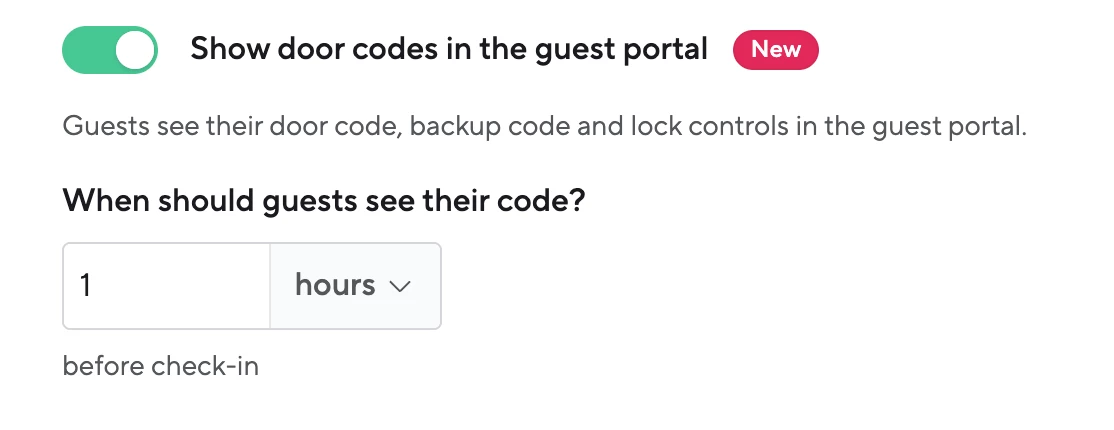
Even if it’s shared, code itself shouldn’t work unless you added big buffers to it. We did hear you so you can now completely disable the Getting inside section in the Guest Portal or customize when the door code becomes visible to guests in the smart lock settings. This setting only controls code visibility and doesn't affect when the code is actually valid.


Tom Beerley
Hospitable Hero
Forum|alt.badge.img+4
  • Hospitable Hero
  • Oct 20, 2026 4:02 PM UTC

​@Kristijan Laco in a separate thread you mentioned that the “Getting inside section is visible only after guest verification/rental agreement signature”… so that should really reduce the reasons for turning it off. If they’ve completed their check-in tasks, it seems fine for them to know the code ahead of time, since the code won’t actually work until check-in time anyway (or a bit earlier, if you’ve given a buffer).  


Kristijan Laco
Hospitable Team Member
Forum|alt.badge.img+7
  • Author
  • Hospitable Team Member
  • Oct 20, 2026 8:58 PM UTC

​@Kristijan Laco in a separate thread you mentioned that the “Getting inside section is visible only after guest verification/rental agreement signature”… so that should really reduce the reasons for turning it off. If they’ve completed their check-in tasks, it seems fine for them to know the code ahead of time, since the code won’t actually work until check-in time anyway (or a bit earlier, if you’ve given a buffer).  

Yeah, you’re absolutely right. That was my thought process as well, but since I’ve been working on some settings anyway, I figured I’d give users the option to turn it off completely.

By default, it’s enabled for everyone, with code visibility set to 24 hours before check-in.