


Sensi thermostat integration is now in open beta!

  • January 20, 2026
  • 14 replies
  • 212 views
Kristijan Laco
Hospitable Team Member
Forum|alt.badge.img+4

After a successful private pilot, we’re excited to open things up and invite all eligible hosts to give it a try.
 

🚪 What’s in the Beta?

You can now connect supported Sensi thermostats directly to Hospitable.


🔧 What You’ll Need

  • A supported Sensi thermostat

  • Access to the Devices page in Hospitable

  • A little curiosity and a few minutes to set things up!

💬 We’re All Ears

This is still a beta - things may evolve, and your feedback is essential. Found a bug? Have an idea? Let us know through the app or by replying to this post.

Ready to test it out?
Head over to your Devices page to get started.

Thanks for being part of the journey.


💜 The Smart Devices Team

14 replies

MoniqueD
Inspiring
Forum|alt.badge.img+3
  • Inspiring
  • January 21, 2026

LOVE THIS!!


lynguyen
New Participant
Forum|alt.badge.img
  • New Participant
  • January 21, 2026

YES been waiting on this integration - thank you!!! 


andycross
New Participant
Forum|alt.badge.img
  • New Participant
  • January 22, 2026

Just added my device. Thanks for this integration!


lynguyen
New Participant
Forum|alt.badge.img
  • New Participant
  • January 23, 2026

@Kristijan Laco I went to Devices and don’t see Sensi as an option for me to add. What am I missing? 


Kristijan Laco
Hospitable Team Member
Forum|alt.badge.img+4
  • Author
  • Hospitable Team Member
  • January 26, 2026

@Kristijan Laco I went to Devices and don’t see Sensi as an option for me to add. What am I missing? 

@lynguyen  The Sensi integration is currently in open beta. You don’t have beta features enabled. Please go to the Settings page and turn on beta features to continue.


andycross
New Participant
Forum|alt.badge.img
  • New Participant
  • January 26, 2026

@Kristijan Laco And team! Wanted to call out a hiccup with the site when updating the thermostat setting under the device dashboard. 

Of course, I have the Sensi Lite Smart Thermostat, and the device is connected to my account. When I go to update the Thermostat Setting, I get an error message that says: An error occurred processing this action - please try again. If this keeps occurring, please contact support.

(See attached)

Once you hit “dismiss,” the page has a grey overlay and the loading icon continually spins. (see attached)

Please let me know if you have any questions. 


lynguyen
New Participant
Forum|alt.badge.img
  • New Participant
  • January 26, 2026

Thanks ​@Kristijan Laco - I was able to add my upstairs Sensi thermostat 👍🏼, excited to see how this works! I have a 2nd thermostat in for my main floor & basement, how might I add that one as well?? 


Ivan - Vacay Vibes Getaways
Known Participant
Forum|alt.badge.img+2

Hi ​@Kristijan Laco - I just connected my Sensi 2 Thermostat. It’s working now but just wanted to share this.

Immediately after the Sensi login credentials were entered and got connected successfully, the next screen was changing the setpoints for Occupied. After updating the setpoints on this screen, I keep getting an error (sorry no screenshot), I click on Dismiss but nothing happens. The cursor just spins so I can’t click anything else on this screen. What I did was just manually click on Devices → Thermostats → Occupied and was able to change my settings that way. 


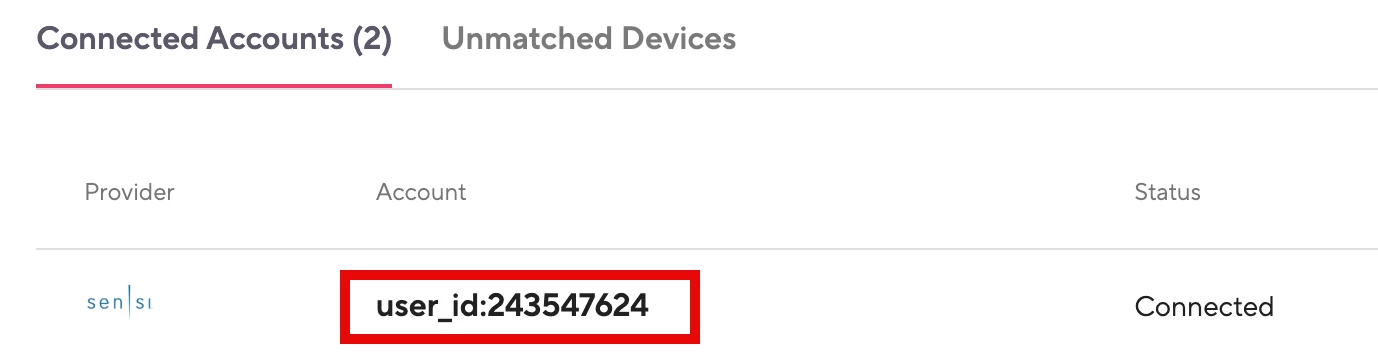
Additionally,  under Connected Accounts, is it normal to see the numerical value of the userID instead of our actual email address used for login? It’s not a deal breaker but for consistency, I’m guessing our email login should show up here. 


That’s it! I’m excited for this integration.  


Kristijan Laco
Hospitable Team Member
Forum|alt.badge.img+4
  • Author
  • Hospitable Team Member
  • January 27, 2026

Hi ​@Kristijan Laco - I just connected my Sensi 2 Thermostat. It’s working now but just wanted to share this.

Immediately after the Sensi login credentials were entered and got connected successfully, the next screen was changing the setpoints for Occupied. After updating the setpoints on this screen, I keep getting an error (sorry no screenshot), I click on Dismiss but nothing happens. The cursor just spins so I can’t click anything else on this screen. What I did was just manually click on Devices → Thermostats → Occupied and was able to change my settings that way. 


Additionally,  under Connected Accounts, is it normal to see the numerical value of the userID instead of our actual email address used for login? It’s not a deal breaker but for consistency, I’m guessing our email login should show up here. 


That’s it! I’m excited for this integration.  


Hi ​@Ivan - Vacay Vibes Getaways , unfortunately seeing user_id: XXXXXXXX for Sensi account is expected and comes from an integration limitation. Sensi doesn’t expose connected email addresses like for instance Ecobee does.

We’re not storing that data on our side, so as soon as Sensi provides the correct email, it’ll be shown automatically.


Kristijan Laco
Hospitable Team Member
Forum|alt.badge.img+4
  • Author
  • Hospitable Team Member
  • January 27, 2026

@Kristijan Laco And team! Wanted to call out a hiccup with the site when updating the thermostat setting under the device dashboard. 

Of course, I have the Sensi Lite Smart Thermostat, and the device is connected to my account. When I go to update the Thermostat Setting, I get an error message that says: An error occurred processing this action - please try again. If this keeps occurring, please contact support.

(See attached)

Once you hit “dismiss,” the page has a grey overlay and the loading icon continually spins. (see attached)

Please let me know if you have any questions. 

Hi ​@andycross , thanks for reporting this.

There’s actually nothing to open in the schedule view itself. You can’t manipulate the schedule directly instead, you can adjust the preset that’s applied to that schedule.

The issue only occurred for users who had thermostats connected without a smart lock on the same property. In those cases, the UI incorrectly attempted to open the smart lock code view. Since no smart lock was actually connected, that resulted in the error message and loader you’ve seen.

I’ve just pushed a fix, so this shouldn’t happen going forward 👍

As for the other issue, it looks like we’re seeing some broken behavior with the Sensi Lite thermostat, which is incorrectly reporting its supported HVAC modes. I’ve already reported this to the integrator, and the investigation is in progress.


jth
New Participant
Forum|alt.badge.img+1
  • New Participant
  • January 28, 2026

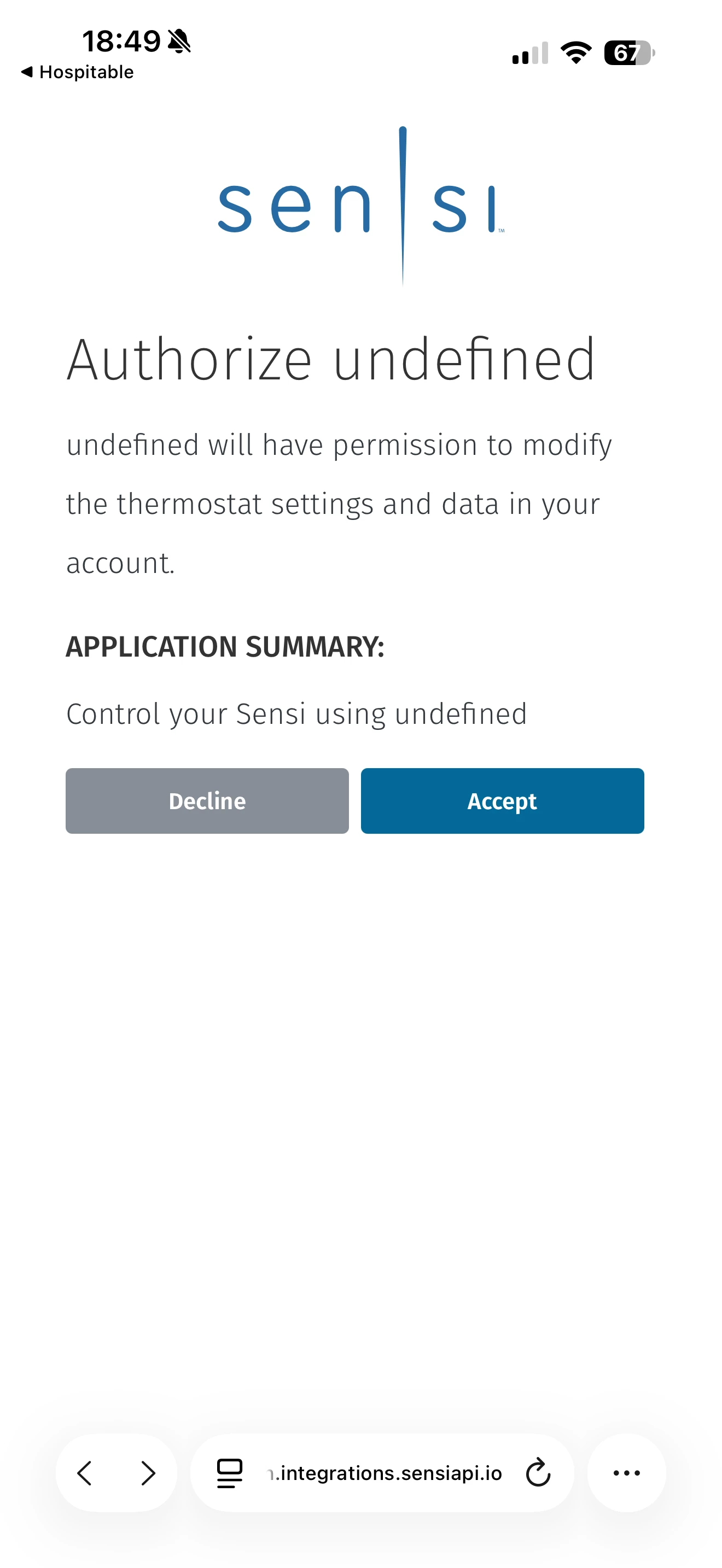
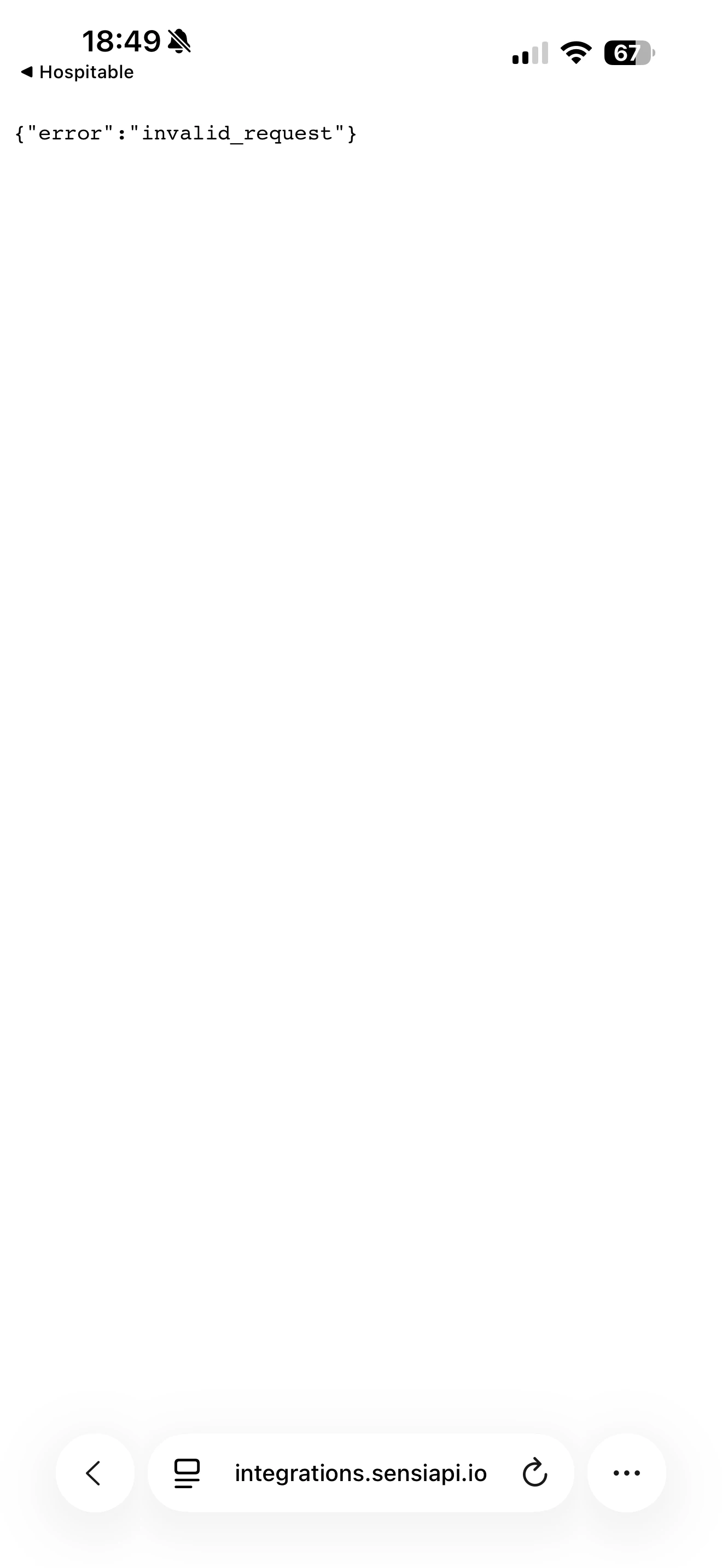
I’m getting an error when trying to link my Sensi account from my phone. These occur after successfully authenticating to Sensi.


Ivan - Vacay Vibes Getaways
Known Participant
Forum|alt.badge.img+2

@Kristijan Laco It’s me again. I have the Sensi 2.  The thermostat doesn’t seem to be following the temp settings of the Long Term Unoccupied.  Any chance you can take a look at it? Feel free to contact me and I can show how I’m currently setup.


lynguyen
New Participant
Forum|alt.badge.img
  • New Participant
  • January 29, 2026

Thanks ​@Kristijan Laco - I was able to add my upstairs Sensi thermostat 👍🏼, excited to see how this works! I have a 2nd thermostat in for my main floor & basement, how might I add that one as well?? 

@Kristijan Laco - checking to see if i can get my 2nd thermostat automated as well (for the same property)?? 


Kristijan Laco
Hospitable Team Member
Forum|alt.badge.img+4
  • Author
  • Hospitable Team Member
  • February 2, 2026

Thanks ​@Kristijan Laco - I was able to add my upstairs Sensi thermostat 👍🏼, excited to see how this works! I have a 2nd thermostat in for my main floor & basement, how might I add that one as well?? 

@Kristijan Laco - checking to see if i can get my 2nd thermostat automated as well (for the same property)?? 

@lynguyen I don’t see why not. If it’s all part of the Wintergreen Cozy, you can simply match your Sensi Thermostat Main & Lower Fl to it.