

Inventory Management App

  • May 27, 2026
  • 9 replies
  • 283 views

KennyM
Known Participant
Forum|alt.badge.img+1

I’ve made an app for my own business specifically to handle inventory and automate supply runs and restocking for short-term rentals. I decided to open it up to everyone and need some real-world feedback from hosts who deal with tracking supplies and handling turnovers day in and day out.

Check it out here: https://strcomms.com

If you have a few minutes to spare, I would love for you to play around with it for free and let me know what you think.

Important note on billing: The app is currently hooked up to Stripe’s Test Mode sandbox. You can use everything without using real money or a real card.

When you get to the checkout page, simply use the standard Stripe test card:

  • Card Number: 4242 4242 4242 4242

  • Expiry / CVC / Details: Enter any random future date and numbers you want

Whether you love it, find a bug, or think a feature is missing, your brutal honesty will help me make this a lifesaver for supply workflows. Drop your thoughts in the comments below or DM me directly.

Thank you so much in advance for your time!

9 replies

French_Bos
New Participant
Forum|alt.badge.img
  • New Participant
  • June 2, 2026

Hi There - love the idea. The link does not work on my end though… 


KennyM
Known Participant
Forum|alt.badge.img+1
  • Author
  • Known Participant
  • June 2, 2026

Do you mean the website link above doesn't work at all or once on the site something isn’t working?  The site is strcomms.com.


French_Bos
New Participant
Forum|alt.badge.img
  • New Participant
  • June 2, 2026

When I copy strcomms.com, I get to nothing… :/ (error page not existing)


Eli Stoughton
Participating Frequently
Forum|alt.badge.img+5
  • Participating Frequently
  • June 2, 2026

The website loads for me, for what it is worth.


KennyM
Known Participant
Forum|alt.badge.img+1
  • Author
  • Known Participant
  • June 2, 2026

what browser are you using?  Are you getting an error or just a blank page?  Any info you could give to help me figure this out would be helpful!


KennyM
Known Participant
Forum|alt.badge.img+1
  • Author
  • Known Participant
  • June 2, 2026

@Eli Stoughton thanks for that, thought I was losing my mind!


French_Bos
New Participant
Forum|alt.badge.img
  • New Participant
  • June 2, 2026
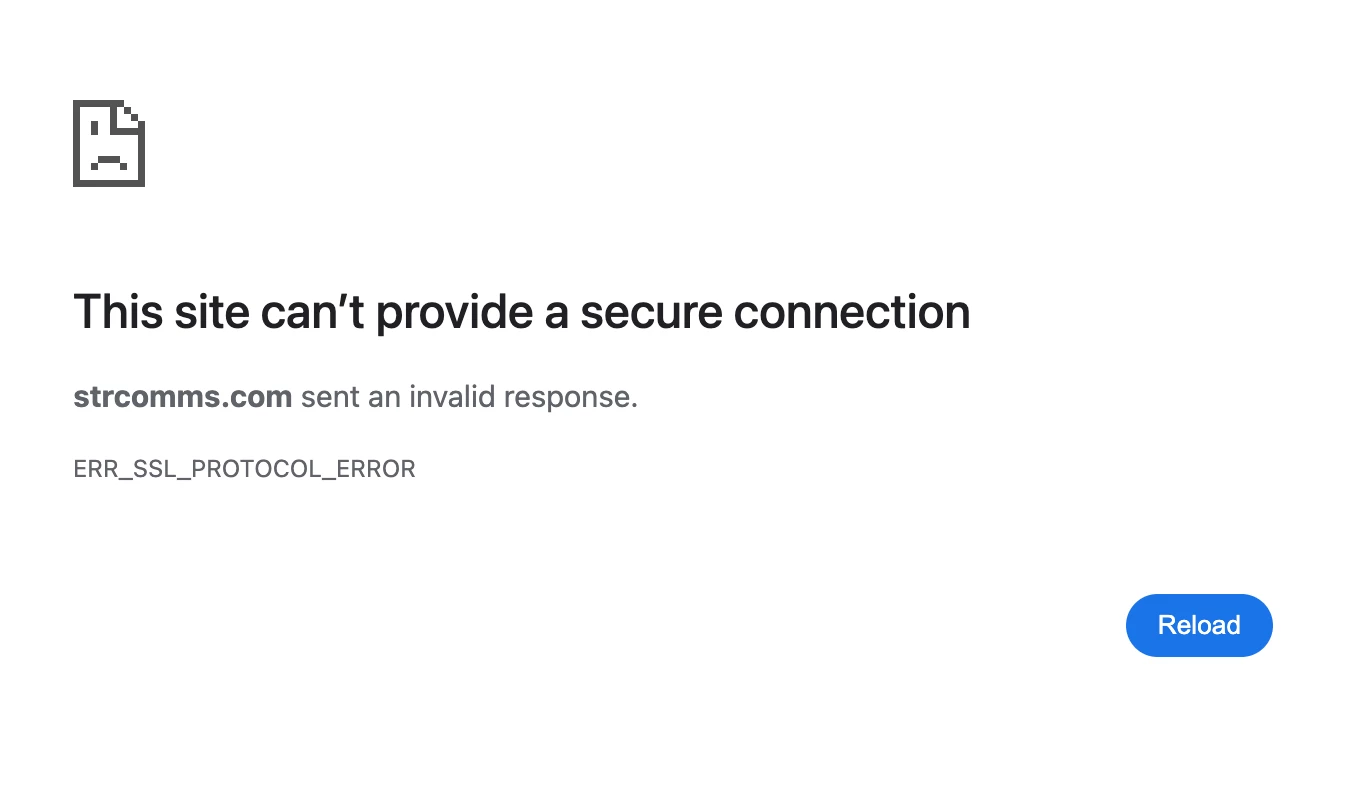
This is what I get… (using Chrome)


KennyM
Known Participant
Forum|alt.badge.img+1
  • Author
  • Known Participant
  • June 2, 2026

Thanks for sharing that!  That is an SSL certificate error and means that my certificate hasn’t been fully distributed yet.  I’ll look into that right now, thanks again!


KennyM
Known Participant
Forum|alt.badge.img+1
  • Author
  • Known Participant
  • June 2, 2026

Here are the steps to make it work:
 

  • Check their System Clock: If the user's computer date or time is out of sync by even a few minutes, the secure handshake will automatically fail.

  • Test in an Incognito/Private Window: If the site loads fine in Incognito, a corrupted browser cache or a rogue browser extension is interfering. They'll just need to clear their standard browser cache.

  • Disable Antivirus / VPN / Firewall: Some local security software features "HTTPS Inspection" or "SSL Scanning." If their antivirus or corporate firewall attempts to intercept and decrypt traffic mid-transit, Chrome will reject it. Ask them to temporarily disable their VPN or security software to test.

  • Clear the SSL State (Windows): Have them search for Internet Options in their Windows search bar, go to the Content tab, and click Clear SSL State.

I verified that my SSL is set up correctly and distributed.  It is most likely an issue with your computer set up as described above.