

A simple playbook for turning common guest requests into automated upsells.
Many hosts focus on occupancy and nightly rates when trying to grow revenue. But there’s another opportunity hiding in plain sight: the extra things guests are already asking for.
With Hospitable Upsells, guests can purchase add-ons like early check-in, late checkout, or amenities directly through the Guest Portal, without manual coordination or payment requests.
Community member Matt McLean set this up across his properties and quickly turned those small requests into a smooth, automated workflow.
Here’s how he did it; and what you can learn from it.
Meet the host
Matt (
Because these are destination markets with seasonal demand, guests often look for ways to enhance their stay with small upgrades or added comforts. That made upsells a natural fit for his properties.
After setting up Upsells in Hospitable, Matt quickly saw guests start using the feature and turned those add-on requests into a consistent, automated revenue stream across his listings.
The problem with manual add-ons
Before using Upsells, Matt was already offering extras like pool heating and early check-in. The problem was how payments were handled. He previously used Airbnb’s Resolution Center to request payment, which created friction for both him and guests.
Guests often struggled to find or accept the request, leading to extra messages and delays.
“I spent more time explaining how to pay than it took for them to actually pay.”
Upsells removed that friction. Now guests can simply open the Guest Portal, see available upgrades, and purchase them instantly.
“The way Hospitable does it is really intuitive. Guests can upgrade their stay anytime, and the payment is processed right there. It completely takes me out of the process.”
Matt’s Upsell setup
Matt focused on upsells that naturally extend the guest experience.
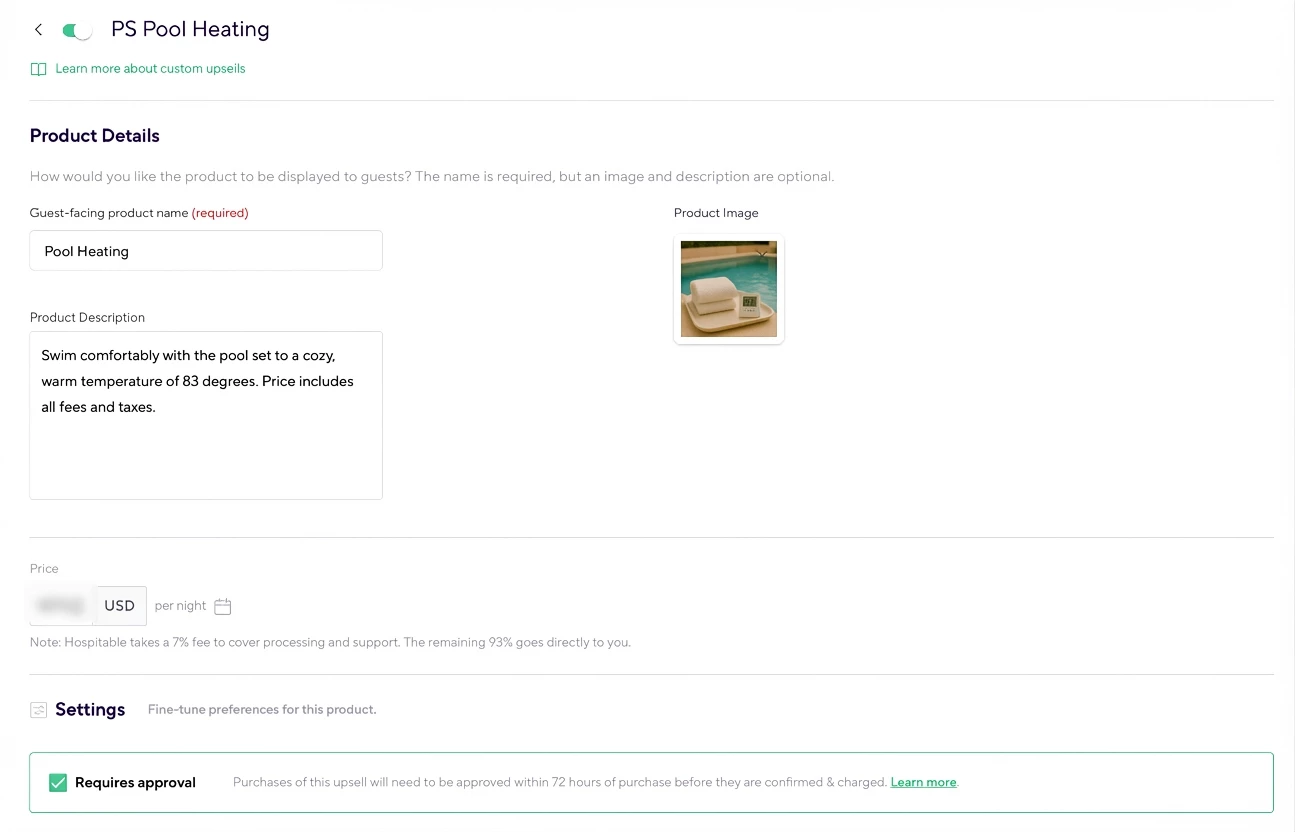
Pool heating
This is one of the most common upgrades for his Palm Springs properties.
Heating the pool has a real operating cost, so guests can decide whether they want it. Many guests purchase this upgrade shortly before arrival when planning their stay.
“A lot of purchases happen a couple of days before the reservation when I send check-in information.”
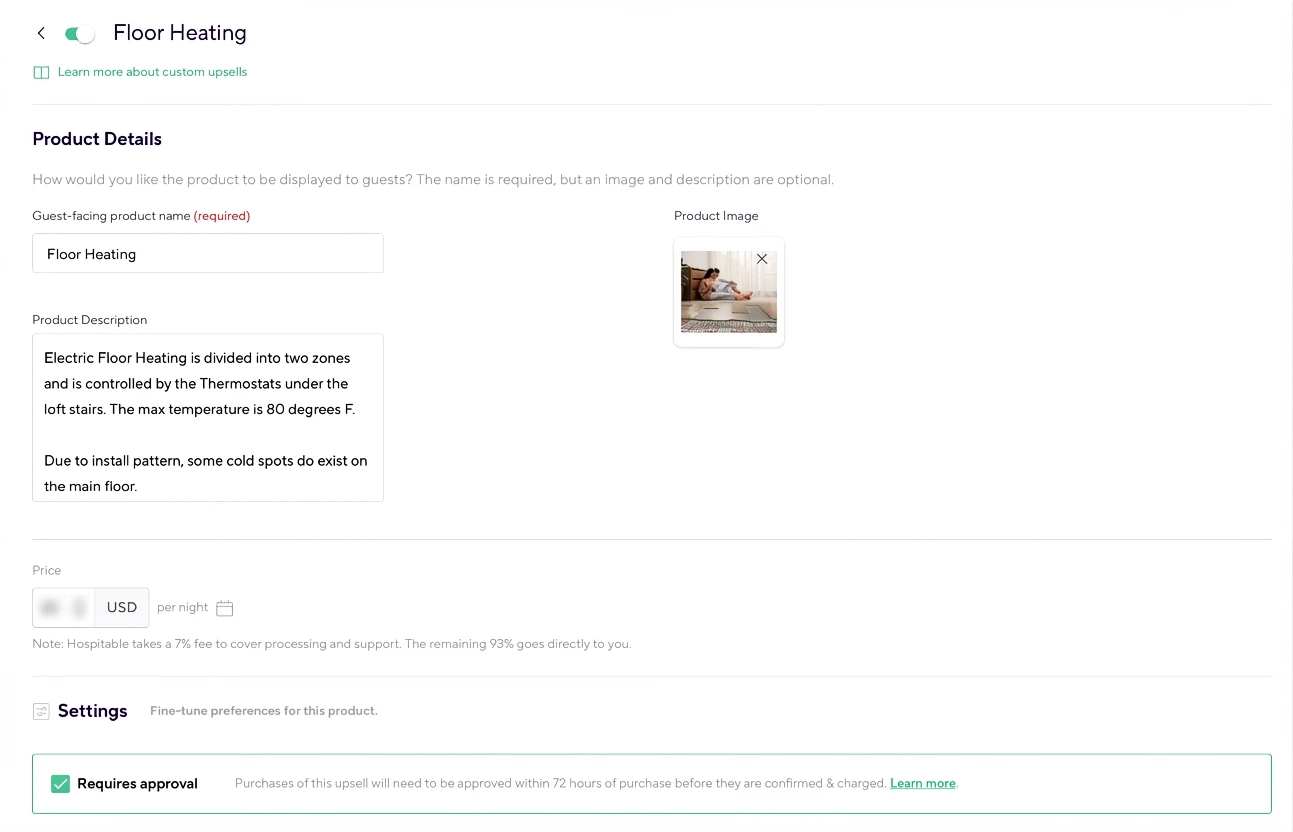
Heated floors during winter
For his Big Bear property, Matt offers heated floors as a winter comfort upgrade.
The price per night is relatively small for guests, but over time it becomes a meaningful additional revenue stream for the property.
Early check-in and late checkout
Matt also offers paid schedule flexibility.
His rule of thumb:
- Small timing requests (around one hour early) are often accommodated for free
- Larger time shifts may require adjusting cleaning schedules, so those are offered as paid upgrades
“Once you start getting two, three, four hours before check-in, you’re moving cleaning schedules around. I think it’s appropriate to charge for that.”
This keeps operations fair while still giving guests flexibility.
How Matt prices his Upsells
Matt uses two simple pricing strategies depending on the type of upsell.
For schedule flexibility
He bases the price on a percentage of the nightly rate. This keeps the upsell proportional to the value of the booking.
For amenities
Amenities like pool heating or heated floors are priced based on the real cost of running them, such as electricity or energy usage. This approach ensures the upsells remain fair for guests while still covering operating costs.
Why visibility drives purchases
Upsells work best because guests see them multiple times during the reservation journey.
Guests can discover them:
- After booking
- Inside the Guest Portal
- Through automated messages
- When receiving check-in instructions
Because the option remains visible throughout the reservation journey, guests often decide later.
“Guests look at it when they first book, think about it, and then a couple of days before arrival they decide to purchase.”
In Matt’s experience, most purchases happen shortly before check-in.
Guests actually appreciate the option
Some hosts worry that upsells might feel pushy. Matt hasn’t experienced that.
“I’ve never gotten any negative feedback about upsells. Guests enjoy being able to purchase things at their own leisure.”
In fact, some guests upgrade after arriving. For example, a guest might decide they want the pool heated after experiencing the temperature or opt into heated floors during a colder stay. Upsells simply give guests the option to enhance their experience.
Tips for hosts getting started
Matt shared a few simple recommendations for hosts who want to try Upsells.
Start with something you already offer
If you already charge for something like early check-in or an amenity upgrade, that is the easiest upsell to implement.
Run a few test reservations
Upsells can be toggled on and off, so you can safely test them with a few bookings before rolling them out to all listings.
Include transaction costs in your pricing
When setting prices, remember to account for processing costs so your margin stays intact.
Check local tax rules
Depending on your market, certain upsells may be taxed differently from nightly rates.
Quick playbook: Set up your first upsell
If you want to try this approach, start simple.
Step 1
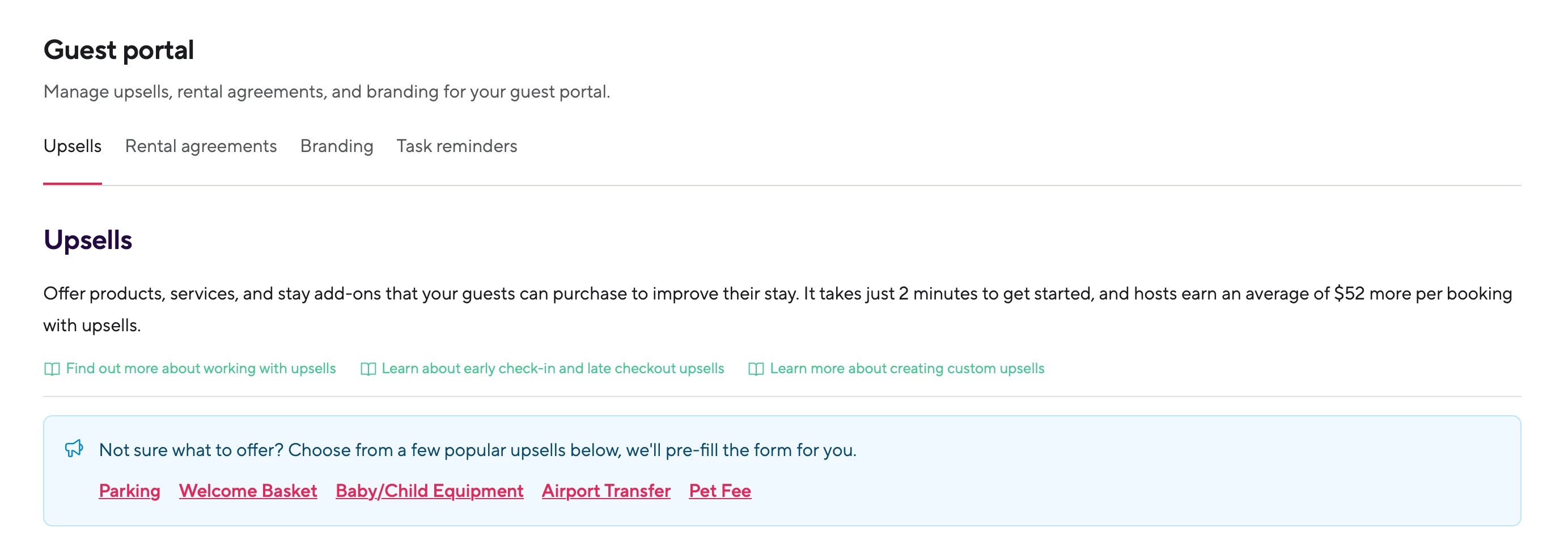
Head over to the Guest Portal / Upsells. Choose an upsell guests already request.
Examples:
- Early check-in
- Late checkout
- Pool heating
- Parking
- Pet fees
Guest portal also offers pre-filled forms for you.
Step 2
Set a clear price based on either:
- a percentage of the nightly rate
- actual operating costs
Step 3
Fill out the Product details (name and description), then review the available settings, such as:
- Whether the upsell requires approval
- Whether it can be purchased during booking
- Whether guests can buy multiple quantities
- The purchase window (when it can be bought)
- Whether guests should be prompted to add a note with extra details
Different upsells may show a different set of settings, depending on the upsell type.
Finally, choose which bank account should receive the payments, and scope that payout destination by platform, host, and property (as needed).
Step 4
Include the Upsell smart code in your automated guest messages, or even better, the Guest Portal short code %guest_portal%, which gives guests an overview of their stay.
Step 5
Test with a few reservations.
Step 6
Roll it out across all listings.
Final thoughts
Upsells are not about charging guests more. They are about giving guests options to personalize their stay.
And when the process is simple and automated, those small upgrades can quietly become one of the easiest ways to improve both revenue and guest experience.
More:
How to Offer Paid Upsells to Your Guests
Early Check-In and Late Check-Out Upsells
--
What upsells are you currently offering in your listings? 💜