


Hello 👋 ! Jake here from the Engineering team 🙇
We’re excited to share a new beta feature that makes task assignments clearer and easier for your team.
Who is it available for?
This feature is live for Beta users starting today 🎉
If you’d like access, you can join our Beta program here: https://help.hospitable.com/en/articles/5388483-beta-features-overview
How does it work?
This feature only works for tasks assigned going forward — tasks that were already assigned won’t include accept/decline actions.
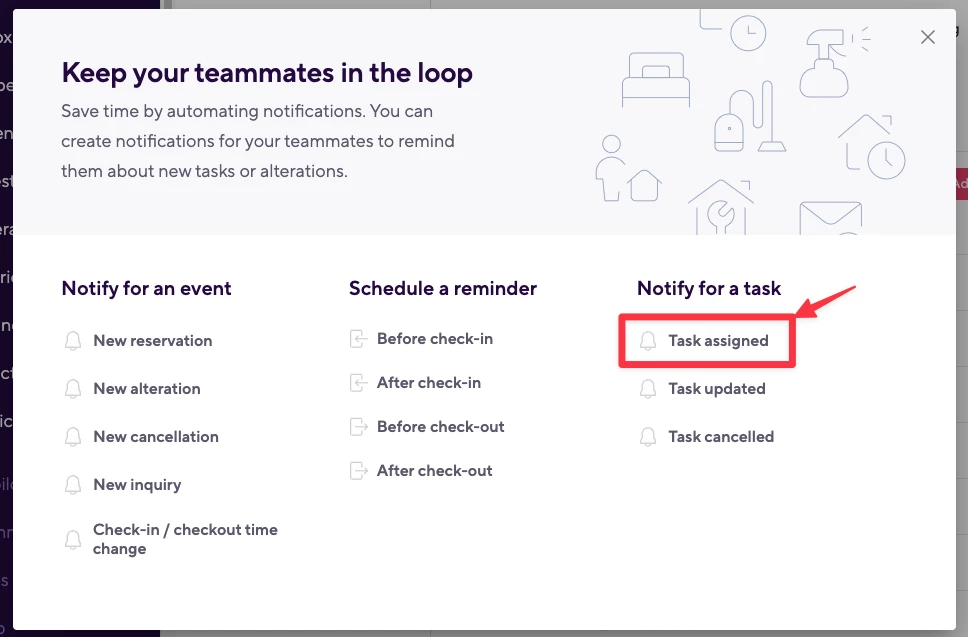
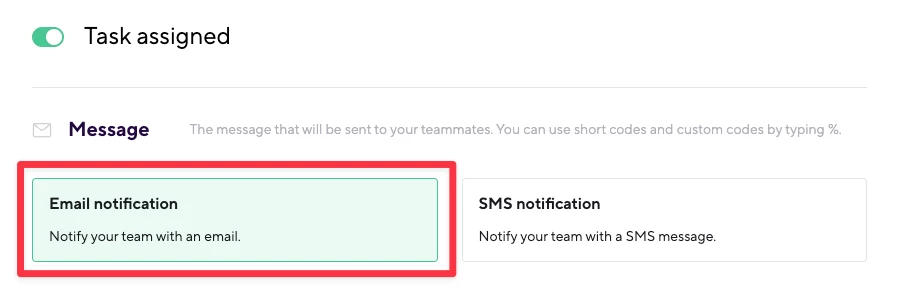
You’ll need a task assignment email notification rule set up.
Here’s what happens:
-
When a teammate is assigned a task, they receive an email notification using your task assignment notification rule.
-
At the bottom of that email, they can accept or reject the task.
-
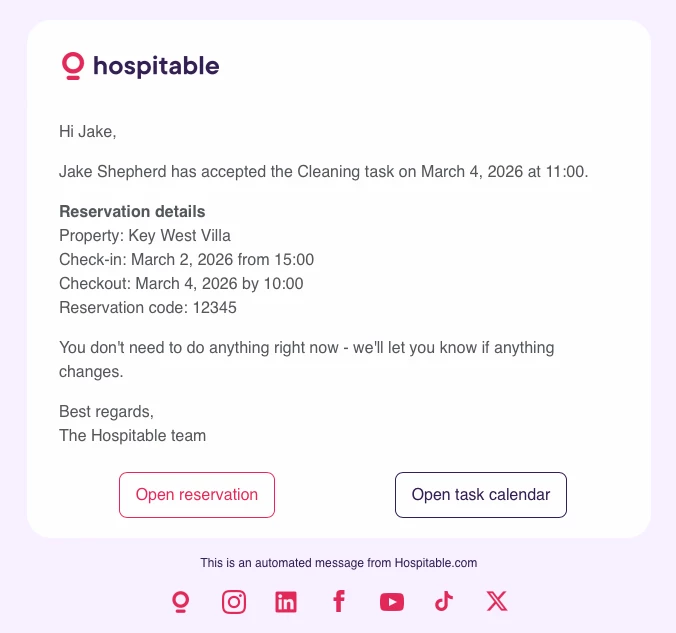
Once they respond, you’ll get an email letting you know whether the task was accepted or declined.
-
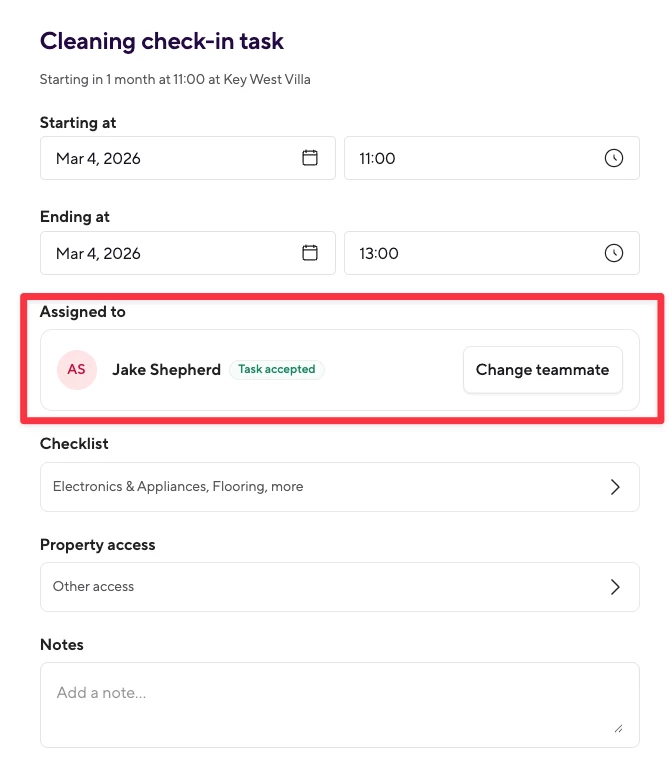
You can also see the task’s status directly from the task view in the calendar.
This currently only works for email notification rules.
How do I use it?
You’ll need to have a notification rule set up for when a task is assigned to a teammate. You can find out how to create a notification rule in our help article here: https://help.hospitable.com/en/articles/4602296-how-to-create-a-notification-rule
Once the teammate has replied you’ll receive a notification via email
And you’ll be able to see the status of the task in the view modal
We’d love your feedback
We love feedback, so please try it out on and let us know how it goes! 🙌