


Hello 👋 ! Jake here from the Engineering team 🙇
We’re rolling out Task Reminder Notifications, part of a bigger revamp of Operations notifications.
Who is it available for?
This feature is live for Beta users starting today 🎉
If you’d like access, you can join our Beta program here: https://help.hospitable.com/en/articles/5388483-beta-features-overview
How does it work?
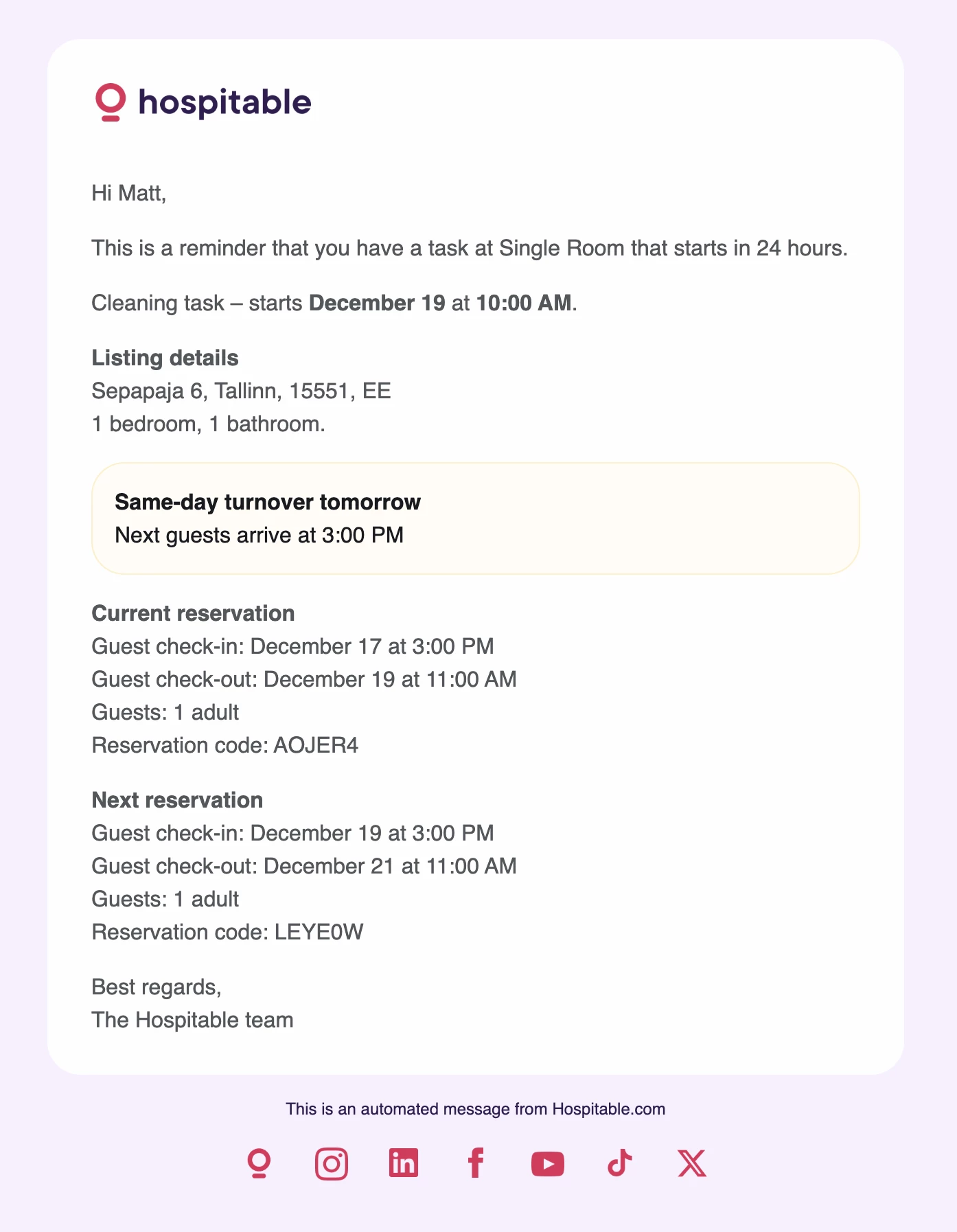
Task reminders will be sent 24 hours before the tasks start time and will only be sent to the assigned teammate.
If the task is created within 24 hours of it’s start time, no notification will be sent.
If the teammate has both an email address and a mobile number associated with their account, they will receive both notifications.
If they only have one contact method, we will send the reminder through whichever method is available.
How to set it up
Task reminder notifications can now be enabled on any tasks or task rules that you have set up. We’ll enable these notifications by default for all of your existing tasks and task rules as well as any new tasks or task rules that you create from now on.
If you want to disable the notifications then you can just head to the task or task rule, un-check the task reminders option and save!
What information is sent?
Messages aren’t customisable yet, but reminders will include (when relevant):
• Task type
• Task start time
• Property address
• Previous reservation details
• Next reservation details
• Same-day turnover details, including next check-in time
Reminders are also auto-translated into the language your teammate uses in Operations.
We’d love feedback, try it out on a task and let us know how it goes! 🙌