

I am writing to request technical support regarding an issue with the Schlage entry codes generated for my guests.
Currently, the system initially sets the access code as the last four digits of the guest's phone number. However, prior to the scheduled check-in, guests receive an automated message stating that a problem occurred and a new, different code has been assigned.
Could you please explain why these codes are being changed and how I can ensure the original code remains active? This inconsistency is causing confusion for guests during the check-in process.

Answered
Schlage codes updating?



Best answer by Kristijan Laco
Hi
Thanks for reaching out about the entry code changes, I completely understand how this could cause confusion for your guests, and I’m happy to clarify what’s happening.
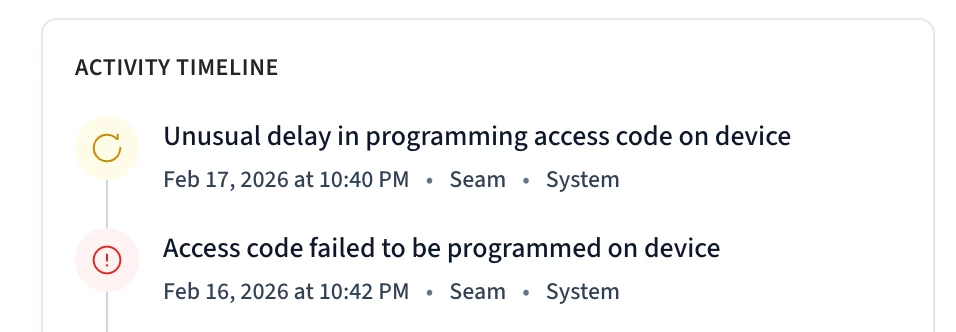
I looked into your case, and the reason the code was changed is that the original code (based on the last four digits of the guest’s phone number) was not successfully confirmed by the Schlage lock. In other words, the lock did not report back that the code had been properly set. To this date we still don’t have that confirmation.
When this happens, our Backup Code feature automatically activates. This feature generates and sends a new code to ensure your guest can still access the property without disruption. The backup code is only triggered when we detect an issue with the original code and it’s designed as a safeguard to prevent lockouts.
You do have the option to customize your backup code message here, or disable the feature entirely if you prefer (though we generally don’t recommend disabling it, as it helps protect the guest experience in situations like this).
We also have a helpful article that explains in more detail how backup codes work.










Enter your E-mail address. We'll send you an e-mail with instructions to reset your password.