New to the Community? Everything you need to know
Everything you need to know about Hospitable Hosts Community
Recently active
There are some exciting updates to help you create and sell more upsells, collect security deposits, and manage your autopilot cleanings! We've also released a new version of our Zapier integration. UpsellsOffer upsells to guests during check-in tasks 🛒If you have upsells to offer guests, they will now be presented to guests after completing their check-in tasks Guests can purchase upsells on the spot or skip the screen and be directed to the guest portal If you're not offering any upsells, guests will be directed to the guest portal home screen You can learn more about Upsells in this detailed help articleUpsell templates for easy creation 🛍You can easily create upsells with a single click, which includes product descriptions and images You will find these templates under Upsells in the Guest Experience menuSecurity DepositsCollection reminders sent to guests 💌We now send a reminder to guests three days before check-in about collecting the requested security deposit Direct guests w
We’re excited to announce that Zapier Integration v1.1 is now live, bringing a major upgrade to your automation toolkit! Until now, our integration supported Triggers only, allowing you to kick off workflows from events happening in Hospitable. With version 1.1, we’re adding Actions, enabling you to do even more directly from your Zapier Zaps. ✨ What’s New in v1.1? You can now perform actions in Hospitable from other apps in your Zapier workflows. The following Actions are now available: Send a Message to a Reservation Automatically send a personalized message to a guest linked to a specific reservation. Send a Message for an Inquiry Engage promptly by sending a message to a guest who has made an inquiry – perfect for faster follow-ups and conversions. Respond to a Review Close the loop with your guests by automatically posting responses to reviews as they come in. These new Actions unlock powerful automation possibilities. Whether you’re using a CRM, calendar, or AI assistant i
We've released plenty of updates over the past two weeks that we're excited to share! Everything from improvements to upsells, security deposits, owner statements, cleanings, and more! UpsellsUpsell requests are live for all users ✅There's now a setting that allows you to require your approval of the purchase of the upsells you create and offer guests You will receive a notification about a guest wishing to purchase one of your upsells, which you can either approve or deny The guest will be notified of your decision and charged for the upsell if approved You can learn more about upsell requests in this detailed help article You can learn more about Autopilot Cleanings in this detailed help articleCart abandonment email reminders 🛒Guests who add upsells to their cart, but do not proceed to buy, will automatically receive an email 24 hours later prompting them to complete their purchase This will naturally help you increase the conversion of the upsells purchased by your guestsSupport f
There are a few Direct updates and a private pilot for Security Deposits that we can't wait for you to try!Security DepositsPrivate pilot is live for Direct Premium hosts 🤌Collect security deposits from your guests for extra booking protection Set the amount you want to collect for your listing's security deposit It's free to use during the pilot, but a 2% fee will be applied to all security deposits after the pilot This will only apply to new Direct bookings during the pilotDirectCustom domains are now available for every user 🌐All users' custom domains have been imported to the new 'Domains' list We're differentiating between external and Hospitable-managed domains External: The domain DNS is managed externally, but we're aware of it Hospitable-managed: We'll manage the DNS for you by connecting your server's name to us We've also revamped the 'Domains' tab in the Sites view to have a better DNS verification Custom domains can now be renamed
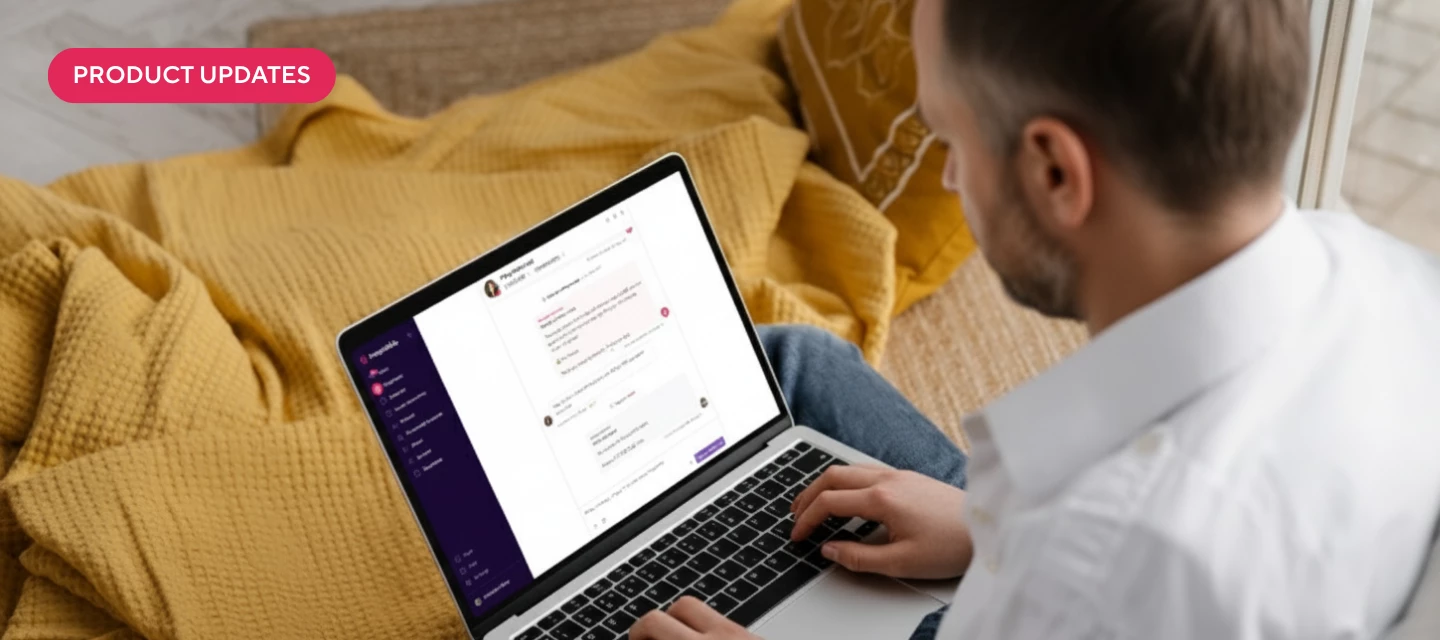
Hey everyone!We recently released Team Notes to all Host, Pro, and Mogul users with beta features enabled. This lets you leave internal notes right inside a guest conversation — perfect for reminders, coordination, and keeping your teammates in the loop.✨ What you can do today:Switch between Reply and Note mode in your Inbox Add a private note that only your team can see @Mention teammates to notify them directly and keep them accountable See when you’ve been mentioned with the new Mentioned tag and unread count in your Inbox Let teammates catch up faster with an AI conversation summary that can be generated when they’re mentioned 📖 Learn more in our help article. 👉 Not seeing Team Notes yet? Make sure you’ve enabled beta features for your team. Go to Settings → General in Hospitable Toggle on Enable experimental (beta) features (team owners and admins only) 📖 Learn how to enable beta features 💡 We’d love your feedback How are you using notes in your team today? Do they fit int
Autopilot cleanings have even gotten smarter! You can now book a cleaner at the last minute and ensure your property is always clean for your next guests! Bad reviews about cleanliness are in the past! OperationsAd-hoc Autopilot Cleanings 🧹If you need a cleaner ASAP for one reason or another, you can now have one ready and at your property the day before needing them Simply go to your calendar, go to the task view, edit the cleaning, and choose the new date you need a cleaner at your property You must make these edits 24 hours before the cleaning task is scheduled to take place We will find a cleaner in the marketplace and send them the details you've already provided for the original cleaner They can still update you before, during, and after the cleaning, and payment will be seamless Learn more about ad-hoc autopilot cleanings in this detailed help articleCheck the policy before removing cleaning 🧐Before we automatically remove the autopilot cleaning, we will first check your cance
Hello Property Managers 👋We’re exploring ways to make new client onboarding and new property onboarding easier for you, and we’d love to hear more about your current onboarding processes. Here are some questions to get us started, but you're welcome to weigh in with other details that you feel might be helpful.How do you seek new opportunities today? What must you know about a prospective owner upfront? What must you know about their property upfront? What about your current process do you love? What is the single most impactful question you ask your owners before committing to work with them? How long does it typically take to formalize a partnership, from the time you meet a new owner to the signing of an agreement?If you have any SOPs or onboarding forms you’re willing to share, we’d love to see them. You can attach them to your comment in this conversation or email them directly to me: emily.tunggala@hospitable.com. I’m looking forward to a fun discussion! 😁
Hi everyone! 👋 A while back, we asked for your input on a new feature: Upsell Requests - and thanks to your feedback, it’s now live! With Upsell Requests, you can now require approval before an upsell is confirmed and charged. This is perfect for offerings that depend on availability, like:Boat rentals Baby equipment Early check-in / Late checkout (if you want more control)Here’s how it works:Guests can still browse and purchase upsells as usual from the Guest Portal. But if an item is marked as “Requires approval”, it will remain pending after purchase. You’ll receive a notification and have 72 hours to approve or deny the request directly from your inbox thread. Once actioned, we’ll handle the charge, refund & guest notification automatically.You can even ask guests to provide extra info (like arrival times or preferences) using the note field, giving you everything you need to make a decision.To get started:Check out our full guide: How Upsell Requests Work This feature is curr
This week, there are many high-value updates for you! You can now let property owners schedule their own accommodations, leave notes for your teammates in the Inbox, and get more information about the upsells you're selling. Owner PortalOwners can book stays in their portal 🗓Instead of you manually adding owner stays to the calendar, you can now give owners permission to book a stay in their portal Choose default custom options like adding a cleaning after their stay or providing smart-lock codes to make booking seamless You will be notified when an owner has created their own booking, so you're always up to date Learn more about owners booking their stays in this detailed help articleInboxCreate internal notes to team members 📒You can now tag and leave internal messages for your teammates or anyone invited onto your Hospitable account Switch to the Notes mode, and when you use the @ symbol, you will see a list of the people you can mention Users will see an unread mention in the Inb
We've released some huge updates to your cleaning operations that will put them on autopilot, letting you sit back and relax! There are also improvements to our AI features and Direct bookings. Autopilot CleaningsAutomated cleaning rule tasks ✨Cleaning tasks can now be set to an automatic state on a per-property basis This will automate your messaging, smart locks, finding a cleaner, and live updates, so you don't have to lift a fingerMarketplace for local cleaners 🧽While creating a cleaning rule task, you will now see a list of reputable cleaners in your area who can be ready at any moment These cleaners are vetted and are imported from Cleanster Receive immediate help from Cleanster's support team at (737) 377-2944 if any issues arise with a cleanerDynamically updated and grouped task list 📋The new task list is now smarter by adding tasks from the issue alerts of past guests It will create a new task and group it appropriately in the correct categoryLive updates and messaging for c
We're delivering you even more control of your dynamic pricing and helping you protect your property with more security deposit functionality! Cleanings have also gotten even smarter, ensuring you always have a clean property. Dynamic PricingMore control with a new advanced setting 🗓You can now add a far future sensitivity setting to adjust your pricing for far-out bookings Set adjustments for bookings made beyond 180, 240, and 330 days in the future Increase or decrease the pricing by a certain percentage for each time frame Learn more about optimizing your dynamic pricing settings in this detailed help articleSecurity DepositsDebit cards are now accepted 💳Guests can submit and pay security deposits with their US debit cards This will help open up the number of possible guests that can book with you, while allowing you to protect your properties Learn more about adding security deposits to your booking flow in this detailed help articleOperationsCancelled bookings will keep cleaning
After a successful private pilot, we’re excited to open things up and invite all eligible hosts to give it a try. 🚪 What’s in the Beta?You can now connect supported Kwikset smart locks directly to Hospitable and start automating access for your guests.🔧 What You’ll Need A Wi-Fi–enabled Kwikset smart lock (like Halo) Access to the Devices page in Hospitable A little curiosity and a few minutes to set things up! 💬 We’re All EarsThis is still a beta—things may evolve, and your feedback is essential. Found a bug? Have an idea? Let us know through the app or by replying to this post.Ready to test it out?Head over to your Devices page to get started and start unlocking doors (and possibilities).Thanks for being part of the journey.💜 The Smart Devices Team
EXCITING TAX NEWS! Hospitable is now collecting and remitting the following taxes for all Direct Premium bookings made on or after September 1, 2025:Arkansas State Sales and Use Tax Local Sales and Use Tax Arkansas State Tourism Tax Indiana County Innkeeper's Tax Oregon State Transient Lodging Tax If you have a property in these locations and the applicable tax applies to your property for Direct Premium, no action is required on your part—these taxes will be automatically retained and remitted on your behalf. Please note that any other applicable taxes that are not listed or previously communicated will continue to be collected as a pass-through to you. You are responsible for remitting all pass-through taxes to the appropriate jurisdiction in accordance with local regulations and compliance. Further, any tax not collected and remitted on your behalf by Hospitable prior to this date were and will continue to be your responsibility to remit as necessary to state and local jurisdict
We’ve heard from hosts in our Community Survey that the biggest reason they aren’t using the new Community is simple—they forget it exists: 30% had never heard of the new Community Among those who joined, 1 in 3 said it slips their mind To increase its visibility and make it part of your hosting routine, we’ve now brought the Community directly into my.hospitable.com dashboard. What’s new: Community posts in your dashboard: you’ll now see up to 3 recent popular posts in your Hospitable app dashboard (usually 1 of them will be curated by the Hospitable team) Quick access: click a post and it opens in a new tab on the Community Control at your fingertips: you can hide the posts if you wish (currently for 2̶4̶ ̶h̶o̶u̶r̶s̶ 7 days; we’re collecting feedback on this) By making the Community part of your day, not just another tab you need to remember, you can: Get answers from fellow hosts or the Hospitable team Help other hosts with your hosting knowledge and experience Discover u
Creating Owner Stays directly from the Calendar is now available for Mogul users! Here’s a quick breakdown:💸 Zero-revenue reservations - no commission applied.Only an optional cleaning fee (if you schedule cleaning). Cleaning fee can be handled in two ways: Deducted from the owner’s next payout (Mogul + Owner Statements) Collected outside the platform 🏡 Create Owner Stay reservations right inside Hospitable.Owner data, from Owner Management section, auto-fills guest details, but can be overridden if someone else is staying.✅ Optional simple confirmation emailNo automated messaging rules. Sent only if you’d like to confirm the stay with the owner.🔑 Smart lock codes disabled (no creation or comms) when the owner already has property access.🧹 Flexible cleaning - choose to schedule cleaning or let the owner handle it.⛔ Block options for easier management:Block the night before check-in (avoid back-to-back stays). Block the day of checkout (avoid same-day turnovers).What’s next👀 This
We're preparing for an exciting update in the coming week, but in the meantime, we managed to release another great owner's feature! Operations has also gotten a glow-up to prepare for some upcoming features. Owner StaysCreate reservations specifically for owners 📆Mogul users can now add an owner stay to their calendars, just like a manual or Direct booking The owner's information will be filled in the guest details Choose to generate and send a simple confirmation email to the owners Choose to disable the generation of smart lock codes if the owner has access Create the booking with no commission applied and decide whether to schedule a cleaning or allow the owner to clean the property Decide to block the night before check-in and the day of checkout to avoid any overlapping You can learn more about owner stays in this detailed help articleOperationsRedesign of the task rules page 📋All task rule types, including cleaning, check-in, checkout, and maintenance, will have this new edit
We're excited to update our Direct functionality, making it easier for you to track your potential guests! Plus, some improvements to help personalize your guest journey. DirectMarketing pixel support for custom sites 👣You can now define your marketing tags in the new "Marketing" tab when you go to the edit Direct site page You will see options to use Google Analytics, Google Tag Manager, and Facebook pixels This allows you to track your guest's journey from first visit to a booked reservation on your Direct siteBrand icon used as favicon by default 🔰When you update your brand settings, we will now use your logo as the tab's favicon rather than the Hospitable logoMore details translated on your Direct site 🔣We will now translate "Other Details" on your site, ensuring your whole customer journey is in the same languageDirect sites are now linked within Properties 🔗You can now get to your Direct site from the property's page, similar to how you can reach other channels' sitesAIOnly r
After weeks of testing and refining, we're thrilled to officially launch Kwikset support to all users.This launch wouldn’t have been possible without the incredible help from those of you who joined our early pilots and beta. Thank you for trusting us with your properties, your time, and your feedback. You helped shape this feature into something truly reliable and useful.Kwikset now joins the growing list of supported smart locks helping more hosts automate guest access, securely and seamlessly.We’re still listening.If there’s anything you'd like to see next, or if something isn’t quite right, let us know!The Smart Devices Team
Our calendar rule-sets continue to be developed, giving you even more control. We've also made some exciting updates to our Kwikset smart lock integration and Copilot functionality! CalendarSecondary user permissions for rule-sets 📆Existing calendar permissions have been repurposed so that you can manage who has access to calendar rule-sets Secondary users can now view and manage (create, update, delete, apply, remove) calendar rule-sets if given access To allow viewing, you need to enable "Calendar: Display Pricing" To allow managing, you must enable "Calendar: Update Pricing" and "Calendar: Update Availability and Minimum Night Stay" You must have both permissions enabled for secondary users to manage calendar rule-setsSmart DevicesKwikset smart locks are live for all users 🔓You can now connect your Kwikset smart locks to generate door codes and automate your guests' check-ins You can learn about our new integration and other smart locks we support in this detailed help articleCopi
Our calendar and dynamic pricing features received huge improvements, letting you customize your rates even further! We've also enhanced the Direct booking experience for hosts and guests. CalendarRule-sets added with advanced settings 📆You can now configure enhanced rule-sets through the sidebar, including the ability to create, edit, and delete them Create rule-sets for discounted rates, minimum, or maximum night stays for any dates Price markups and markdowns are applied regardless of whether the pricing method was added manually, through an integration, or by our Dynamic Pricing You can use the "Apply rule-set" button to select or create a rule-set to be applied immediately You can use the "Manage rule-sets" to quickly update a rule-set you've already applied to specific datesMinimum-stay color indicator description 📚We added a section that explains the color-coding system (Green/Grey/Red) used in the minimum-stay sidebar You’ll better understand what each color represents when p
We have some exciting announcements about our Mogul features that make owner management easier for everyone. We've also improved other features to make them more intuitive and secure. Owner's PortalOwners can view their booking calendar 🗓The owner's calendar is now visible in their portal, offering a simple view of reservation details, previously available only in statements and the dashboard Clicking the booking on the calendar opens a details panel showing the same data that appears on statements, respecting the customization you set up The calendar is available for current and future months, with the ability to switch between properties Currently, there's no multi-property view available, though we plan to tackle this soon Explore this interactive tour and read our detailed help article to learn more about the updates to the portalOwner StatementsSet up Airbnb split payouts for your statements 🔀You can now indicate if you're using Airbnb's split payout feature, allowing accurate r
There are exciting updates to help you customize your owner statements, add a payout method for upsells, and to try security deposits for your Airbnb guests! Security DepositsAirbnb security deposits are now in beta 🔏You can now automatically collect, hold, and release security deposits for Airbnb bookings You can also request a charge claim from the guest conversation Learn more by taking this interactive tour or reading the detailed help articleOwner StatementsStatements and invoices are more customizable ✏️You can toggle the booking platform name and/or platform icon Hide or show reservation dates and nights One unique reservation identifier must be present, such as a reservation code, guest name, etc.Updates to statement columns and totals 📊Income columns - a new gross reservation income can be used Fee columns - configure commissionable base and reservation commissions Tax columns - option to include passed-through taxes on statements Summary section - will be more minimal if yo
Check out our updates to our most recent product improvements, including translating your guest experience! Our features constantly undergo iterations to improve their usability, and this week's are no different! DirectTranslate your booking site to attract more guests 🔣You can now add different languages in your settings to automatically translate your Direct booking site Everything from the site to the booking flow will be translated for guests based on their default browser language Right now, we support Spanish, German, French, and English by default Go to your settings to add languages and learn more about translating your Direct site in our detailed help articleRental AgreementsAutomatically translate your rental agreements 📝Add different languages in your settings to automatically translate your rental agreements for easier signing Your rental agreement will translate to the guest's default browsing language The shortcodes you've added to fill your rental agreements will match
We've made some time-saving improvements for you and your guests. Also, check out the new way to delight your repeat guests automatically without lifting a finger! InboxCustom codes for returning guests 🥰Create and add the new custom code condition to detect returning guests and personalize messages for them automatically It works like other yes/no conditions (such as instant booking), targeting only guests who have previously stayed with you Delight repeat guests by personalizing messaging to make them feel appreciated and recognized This saves you time by automating the recognition of loyal guests without any manual effortRental AgreementsEasier for guests to fill fields and sign agreement 🖋We've implemented user-friendly improvements to streamline the rental agreement signing process in the Guest Portal Guests will save time by clicking Enter to save signatures, autoselecting the first signature font, and autofocusing on fillable fields The agreement page is updated with
We’re making it easier for Hospitable hosts to find each other, learn from one another, and connect around where you host, how you host, or the journey you’re on.That’s what Hospitable Hosts Groups are for.Groups are spaces within the Community, organized by location, role or topic. Some are open to everyone, others are private or invite-only, but all are designed to help you find the right people faster. Hospitable Hosts Groups We’re starting with a couple of beta groups. Regional groups: Hospitable Hosts: California Hospitable Hosts: Texas Hospitable Hosts: Florida Hospitable Hosts: Australia Role-based:Hospitable InvestorsTopic-based:Looking to HireMore will be added gradually, based on what’s useful and needed. How it works If a group is relevant to you, jump in Some groups are private, which means they only make sense for a specific audience (like investors) You can leave or rejoin anytime Guidelines A few quick guidelines: Groups are just for local / role / topic-speci
Already have an account? Login
Welcome to the Hospitable Community!
Enter your E-mail address. We'll send you an e-mail with instructions to reset your password.