New to the Community? Everything you need to know
Everything you need to know about Hospitable Hosts Community
Recently active
You’re task management is now more transparent and streamlined, making communication seamless between your entire team! We’ve also made some exciting updates to our Auto Reply’s functionality, causing less confusion when replying to guests.OperationsAssign tasks that teammates can accept or reject ✅Teammates can now easily confirm availability for new task assignments with Accept and Reject buttons You’ll receive notifications if they’re accepted or rejected and can see the task status directly in the app You won’t receive notifications for existing assigned tasks unless they are reassigned Teammates or yourself can reassign rejected tasks and see who has declined them This will help streamline task management, improving communication between hosts and property managers and simplifying the process of completing and updating tasksUnlimited secondary users for Host plan ➕Host plan users can now add unlimited secondary users, allowing for easier management and collaboration within a teamA
Hello 👋 ! Jake here from the Engineering team 🙇We’re rolling out Task Reminder Notifications, part of a bigger revamp of Operations notifications. Who is it available for?This feature is live for Beta users starting today 🎉If you’d like access, you can join our Beta program here: https://help.hospitable.com/en/articles/5388483-beta-features-overviewHow does it work?Task reminders will be sent 24 hours before the tasks start time and will only be sent to the assigned teammate.If the task is created within 24 hours of it’s start time, no notification will be sent.If the teammate has both an email address and a mobile number associated with their account, they will receive both notifications.If they only have one contact method, we will send the reminder through whichever method is available.How to set it upTask reminder notifications can now be enabled on any tasks or task rules that you have set up. We’ll enable these notifications by default for all of your existing tasks and task r
Hello 👋 ! Jake here from the Engineering team 🙇We’re excited to share a new beta feature that makes task assignments clearer and easier for your team.Who is it available for?This feature is live for Beta users starting today 🎉If you’d like access, you can join our Beta program here: https://help.hospitable.com/en/articles/5388483-beta-features-overviewHow does it work?This feature only works for tasks assigned going forward — tasks that were already assigned won’t include accept/decline actions.You’ll need a task assignment email notification rule set up.Here’s what happens: When a teammate is assigned a task, they receive an email notification using your task assignment notification rule. At the bottom of that email, they can accept or reject the task. Once they respond, you’ll get an email letting you know whether the task was accepted or declined. You can also see the task’s status directly from the task view in the calendar. This currently only works for email notification
If you’re a property manager, you’re going to be excited about these updates as you’ll never have to ask for payments from your property owners again! We also have some great new integration partners to check out!Owner StatementsAuto-collect payments with Owner PaymentsOwners can now pay invoices with their bank account within their portal You’ll see the invoice payment status visible in statement overview You can set payment terms for 7, 14, or 21 days when publishing owner invoices View invoice payout history is visible in your settings Owner statement payouts now show whether the payment was inbound our outboundImproved owner statements Reservation Adjustment DeletionYou can now easily delete owner statement reservation adjustments This eliminates the need to reach out to support for changes already made Adjustments can be deleted directly from the statement, but not once it is publishedOwners PortalShow unpublished financials in the Owners PortalProperty managers can now choose to
Owner Statements and Invoices are now properly handling calculations for hosts who take Airbnb co-host payouts from Airbnb directly!Here’s how it works:When configuring our Reservation commission, let us know that you receive Airbnb co-host payouts directly from Airbnb. On your Statements or Invoices, you’ll see a few new columns: Total paid to manager/owner will include the amounts already paid by Airbnb to the manager/owner Remaining balance due to manager/owner will include any additional amount owed to the manager/owner from Flat fees that are a part of the Reservation commission, if any On your Profit & Loss and, if connected, your accounting software, you’ll notice that journal entries for commissions from Airbnb reservations are marked as paid on the check-in date, while the commissions and fees from reservations on all other platforms are marked as paid when the relevant Statement or Invoice is marked as paid. Let us know what you think!Happy Hosting,💜 Hospitable’s Mogu
Hi to our Hospitable Community! It is that time again for our traditional monthly TAX NEWS!Hospitable is now collecting and remitting the following taxes for all Direct Premium bookings and Upsell purchases made on or after January 1, 2026:Connecticut State Room Occupancy Tax Delaware Short-Term Rental Lodging Tax Mississippi State Sales Tax Tourism and Economic Development Taxes Montana Lodging Facility Use Tax Lodging Sales Tax Nebraska State and Local Sales and Use Tax State and County Lodging Tax New Mexico Gross Receipts Tax North Dakota State Sales Tax Local Sales and Gross Receipts Tax Local Lodging Tax Local Lodging and Restaurant Tax Rhode Island State Sales Tax State Hotel Tax Local Hotel Tax Whole Home Short-Term Rental Tax South Dakota State Sales Tax Municipal Sales Tax Municipal Gross Receipts Tax Tourism Tax Special Jurisdictions Taxes West Virginia State Sales Tax Municipal Sales and Use Tax Wyoming State Sales Tax State Lodging Tax Local Sales
We’ve been hearing a similar theme from a lot of owners lately, especially those self-managing 1 or 2 properties. Self-managing can start out feeling manageable — even empowering — but over time, priorities can shift. Some owners choose to commit to self-managing because they like the control. Others decide to bring on a property manager, either temporarily or long-term, once the tradeoffs shift. It could be because an unrelated life event like raising young kids, or maybe it’s time to double down on growing/expanding your real estate portfolio instead of managing the day-to-day. We’re curious to hear from this community -What made self-managing feel “worth it” for you — or what made you decide it was time to get some help?There’s no right answer here. We’re hoping this thread helps surface the real considerations owners weigh when making that important decision.
Getting paid just got a whole lot easier! We’ve built Owner Invoicing to help property managers invoice owners and collect commission payments directly through Hospitable, while keeping everything fully in sync with your accounting.With this release, Hospitable now processes payments both to and from your owners.Paying owners when you owe them (Owner Payouts) was released in November 2025.Invoicing owners when they owe you (Owner Invoicing) is now live, just in time to be paid for January Invoices. Here’s how it worksConnect a bank account to your business, and invite your owners to connect their bank account in the owner portal.• When publishing your invoice, you select payment terms: 7, 14, or 21 days. This defines the date that the owner must initiate the payment on.• Owners are notified that a new Invoice is due, and can be viewed and paid from the portal. • Owners can review their invoices, and pay one or more at a time, directly from the owner portal.• Automated email reminders a
After a successful private pilot, we’re excited to open things up and invite all eligible hosts to give it a try. 🚪 What’s in the Beta?You can now connect supported Sensi thermostats directly to Hospitable. 🔧 What You’ll Need A supported Sensi thermostat Access to the Devices page in Hospitable A little curiosity and a few minutes to set things up! 💬 We’re All EarsThis is still a beta - things may evolve, and your feedback is essential. Found a bug? Have an idea? Let us know through the app or by replying to this post.Ready to test it out?Head over to your Devices page to get started.Thanks for being part of the journey.💜 The Smart Devices Team
Airbnb is now sharing the real last 4 digits of guest phone numbers with us, and we’ve updated our smart lock functionality accordingly. Here’s how it works going forward:If your code style is set to “guest phone”: For locks that use 4-digit codes, we’ll use Airbnb’s last 4 digits directly. This means everything will continue to work as before, provided Airbnb supplies the digits. If Airbnb does not supply the last 4 digits, we’ll fall back to the temporary phone number Airbnb provides. For locks that use codes longer than 4 digits, codes will be generated either from the temporary phone number or, if none is available, from a random code. If your code style is set to “random”: Nothing changes - codes will continue to be created randomly as before. Other booking channels (Vrbo, Booking.com, direct, etc.): We’ll continue to generate codes based on the guest’s real phone number, just like before. To summarize: If your locks use 4-digit phone-based codes, you don’t need to make any ch
Hi to our Hospitable Community! It is that time again for our traditional monthly TAX NEWS! If you missed our bi-weekly Town Hall, this is one of our BIGGEST tax remittance announcements for our Direct Premium users yet! 🎉Hospitable is now collecting and remitting the following taxes for all Direct Premium bookings made on or after December 1, 2025:Idaho Idaho State Sales Tax Idaho Travel and Convention Tax Iowa Iowa Hotel and Motel Tax Local Hotel and Motel Tax Kansas Kansas State Retailer’s Sales Tax Local Sales Tax Transient Guest Tax Massachusetts State Excise Tax Local Option Excise Tax Cape Cod and Islands Water Protection Fund Excise Tax Convention Center Finance Fee Community Impact Fee Minnesota Minnesota Sales Tax Local Sales and Special Tax (collected by Minnesota state) South Carolina South Carolina State Sales and Use Tax South Carolina State Accommodations Tax Local Sales and Special Tax (collected by South Carolina state) States with Tax Expansion: Alab
We’re excited to announce that Trip Insurance is now generally available for all U.S. properties with access to Upsells.Trip Insurance is provided by RentalGuardian and is offered directly to eligible guests inside the Guest Portal up until day before check-in. It gives guests peace of mind while generating commission for you on every policy sold. So far, one host has earned $190 in commission from a single booking - paying for their monthly Hospitable subscription three times over.The Trip Insurance upsell is automatically enabled, and there’s nothing you need to do. It runs entirely in the background, and you can switch it off at any time under Guest Experience → Upsells if you prefer.To give guests access, make sure you’re directing them to the Guest Portal via the %guest_portal% shortcode in your new reservation message. That’s the only place Trip Insurance can be purchased, and it’s also where guests complete other important steps like rental agreements, verification, and security
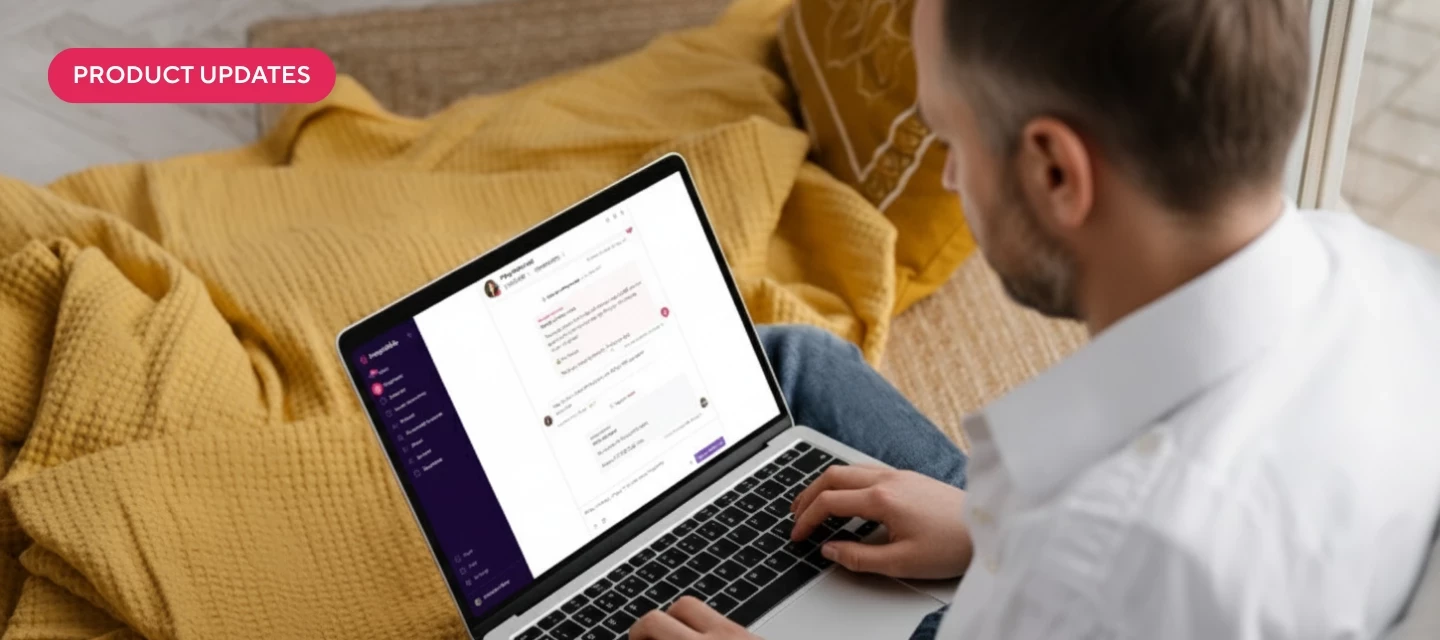
We’ve made some exciting updates to our Auto-Reply capabilities that makes communicating with guests even easier! There are also some new partners worth checking out that are now listed in our Apps page. Inbox AIAuto-Reply and Suggest with AI has access to new dataWe now train it with detailed knowledge about security deposits, trip insurance, and financials for each reservation It will accurately answer guests’ questions about their deposit timeline and status It knows whether trip insurance is available or has been purchased, including the details about purchase price, date, certificate number, coverage dates, and coverage amount It understands the reservation financials that are in the conversation sidebar, such as the breakdown of fees, discounts, and taxesFallback messages for Auto-ReplyYou can set a custom message to automatically send to guests when Auto-Reply is unable to generate a response due to unsupported topics This helps avoid awkward gaps in conversation and set clear e
We’ve introduced big improvements for Dynamic Pricing to help your narrow in rates to ensure maximum revenue and occupancy! We also made exciting updates to Inbox AI and the trip insurance upsell, helping you create the best guest experience as possible. Dynamic PricingSeasonality controls for more accurate pricing 🌻You’ll now see Seasonality Controls in the advanced settings Choose from four options, including more conservative, recommended, more aggressive, or create custom settings You can customize percentage adjustments for each month ranging from -100% to +300% Easily understand and adjust pricing for different seasonsEasily anchor your pricing to historical rates for future bookings 🗓You’ll now see Historical Anchoring under the advanced settings Set up to three fields for pairs of days ahead and a percentage of anchoring You can choose days ahead ranging from 0-730 and a percentage from zero up to +300%Quickly add and remove rules in advanced settings ✅You can now easily cus
Property Managers can now send certain owner emails from their own custom domain (the one used for the Owner Portal), instead of the default Hospitable domain.This currently applies to a few specific events:✉️ Email types covered: Owner invitation (includes username and invite link) Invitation reminder Bank account setup (only if the business already has a bank account and the owner has accepted the invite) Bank account verification reminder (only if a bank account has already been added) ⚙️ How it works: We’ll try to use the domain configured for the Owner Portal. If it’s a Hospitable-managed domain, we auto-add the needed DNS records, so everything should be good. If it’s an external domain, we show a warning that it’s not yet configured for sending emails. On the domain page, property managers will see the required DNS records so they can add them manually on their registrar. We will add help articles for this, as the setup is a bit technical. 🎨 Templates &
We’re working on expanding Direct Premium and Hospitable Payments to Canada (including upsells, security deposits, and owner payouts) 🎉While we’re at it, we want to make sure Hospitable truly works for our Canadian hosts and property managers, so we’d love to hear your thoughts on how we can better support you: Where do you feel Hospitable currently falls short in supporting Canadian hosts and property managers? Do you have any pain points that are specific to your province or municipality (taxes, licensing, regulations, reporting, etc.)? Are there Canadian tools, platforms, or services you rely on that you wish integrated with Hospitable? Is there any software you use today to “fill the gaps” for Canadian needs? What would make Hospitable feel like it was truly built with Canadian users in mind? Have a lot to say? Let’s talk! Book a time with me here: https://scheduler.zoom.us/abby-grous/hospitable-canada-feedbackThanks for helping us shape the future of Hospitable in Canada 🇨
We’ve just made a handy improvement to the smart lock widget in your Inbox!You’ll now see a new “First used” status, showing the exact time a smart lock code was first used, the same timestamp you’d normally find in the device dashboard.This update was inspired by feedback from our community (special shout-out to @anthonyrallo 👏). Many of you told us how useful it would be to have that first used info right in the Inbox and now, you’ve got it!It’s a small change that makes it even easier to stay on top of guest arrivals without switching views.We’re always listening, and this is another great example of a community idea making its way into the product. Keep the feedback coming. You never know which idea will be next to make the jump from “feature request” to “feature shipped.” 😉 💪
We're excited to announce that in February 2026, your owners will be able to pay invoices directly from the Owner Portal — making it easier than ever to receive payment from your owners for monthly invoices.What this means for you:More streamlined experience for you and your owners - everything happens in Hospitable and your Owner’s Portal. Less back-and-forth chasing down payments - we’ll remind them of upcoming due dates, and keep you posted on payment statuses.How to prepare:You'll need to complete two simple steps in January, to be ready to invoice for January on February 1st.Connect your bank account to your Property Management Business. Invite your owners to connect their bank accounts — Send invitations to your owners so they can securely link their payment method before the feature goes live. Keep in mind that the bank account verification process can sometimes take a few days, so it’s best to start now. By getting set up now, you and your owners will be ready to hit the groun
📣 We’re looking for feedback from property managers who use our Owner Statements / Invoices.In our last Town Hall, @Marina Coimbra announced that our Markups will soon apply to all fees. Previously, Markups only applied to the nightly rate. Since this aligns with how platforms charge their service fees, markups will now be able to mitigate service fees across all platforms. We’ve heard a lot of great feedback from our Property Manager customers that this could have some unintended consequences on Owner Statements / Invoices, so we’re considering the following changes and want your input: On Owner Statements and Invoices, we’ll report all fees by their base rates and service fees.For example:You set a cleaning fee of $100 and have a markup rate of 18.3%, so Hospitable marks up the cleaning fee to $118. Cleaning fee = $100 Cleaning fee service fee = $18 On Owner Statements/Invoices, Hospitable will display only the base rate of the fee to the Owner, and the service fee from that fee
We’ve added more control over backup code messages so you can decide exactly how (or if) they’re sent.You can now: Fully customize the message guests receive with their backup code Turn backup code messages off entirely if you don’t need them This gives you more flexibility to match your communication style and avoid sending messages you don’t find useful.We’ve updated our Help Center with all the details and examples so you can decide what works best for your setup. 👉 https://help.hospitable.com/en/articles/7172908-how-does-smart-lock-code-communication-and-backup-codes-work As always, let us know what you think, your feedback helps shape what we build next.💜 The Smart Devices Team
We’re exploring ways to better support Vrbo hosts, and one area we’re digging into is chargebacks.Have you ever experienced a chargeback on a VRBO booking? If so, we’d love to hear: What happened? How often it’s occurred (once vs. recurring)? How painful or time-consuming was it to resolve? Thanks in advance for sharing! 🙏
As you can imagine and appreciate, our hardworking developers have taken some time off towards the end of the year to spend time with their loved ones. So though it’s not our longest changelog, it is a very impactful one, especially for our Direct Premium users! UpsellsAutomated tax collection and remittance 🛍We are now automatically collecting and remitting taxes for all upsells sold instead of paying them out to property owners Tax calculation remains unchanged with only the handling process shifting from the owner’s responsibility to Hospitable remittance This applies to upsells sold on both Direct Premium and booking channel reservations, expanding coverage beyond Direct guests alone Learn more about all the updates we’ve made to Upsells in our detailed help articleDirectUpdated states for tax collection and remittance 🏦We are now collecting and remitting the following taxes for all Direct Premium bookings and upsells purchased on or after January 1, 2026: Connecticut: State Roo
We’re excited to help you protect your property with a more affordable price than ever! We also have some great updates to make sure you can report all your additional revenue and make it easier for guests to check-in. Guest VerificationMore affordable guest vetting for you 🪪Our updated ID verification is now $2 and a full check including ID, sex offender search, and risk factors costs $5, down from $10 The UI is simplified to select either ID or full verification Sex offender checks are no longer available as a standalone option and must be part of the full verification packageFinancial ServicesAll transactions now included in earning reports 📑Every transaction type is included in your Payment and Payouts settings, including upsells, security deposits, and owner payouts This data collection will form the foundation for both host-accessible earning reports and 1099-K tax forms to be generated early next yearEnhanced payout visibility for upsells and trip insurance 🧾You can now see
Our last changelog entry of 2025 is here with improvements for your guests when purchasing upsells and collaboration with your teammates! We’ve also provided additional widgets that Mogul users can add to their metric dashboards! Cheers to everyone having a blessed New Year! Guest PortalReusable payment methods for guests in the portal 💳Guest payment methods are now reusable within a single booking Cards used for security deposit authorization or upsells are stored using a shopper reference tied to the reservation Stored cards are currently only available for upsell checkouts This will only apply to guests with new reservations as older reservations won't retrieve stored cards!MetricsNew widgets to add for bookings and guest analytics 📊Booking Lead Time (Median): Shows the median number of days between booking date and check-in date for accepted reservations Bookings by Day of Week: Displays the count of accepted reservations grouped by the day of week they were booked Guest Count (T
Hi everyone! We’re working on a new Property Protection experience inside Hospitable - including:Damage Protection Insurance Damage Waivers Guest Verification Security Deposits A unified place to configure protection policies for your propertiesBefore we release anything, we want to make sure the flows are clear, intuitive, and aligned with how you protect your properties today.I’m running a handful of 30-minute usability testing calls, where you’ll walk through the prototype with me and give feedback on:Where property protection should live within Hospitable Whether the messaging & process is clearIf you’d like to join, you can book a session here:👉 Schedule a sessionThanks for helping us shape this product!
Already have an account? Login
Welcome to the Hospitable Community!
Enter your E-mail address. We'll send you an e-mail with instructions to reset your password.